

Features

Built around how Bangladeshi companies pay people

Pick a module to see what it does. Every module shares the same employee data, so attendance, leave and benefits flow straight into payroll.

Pay & benefits

Payroll, tax and benefits

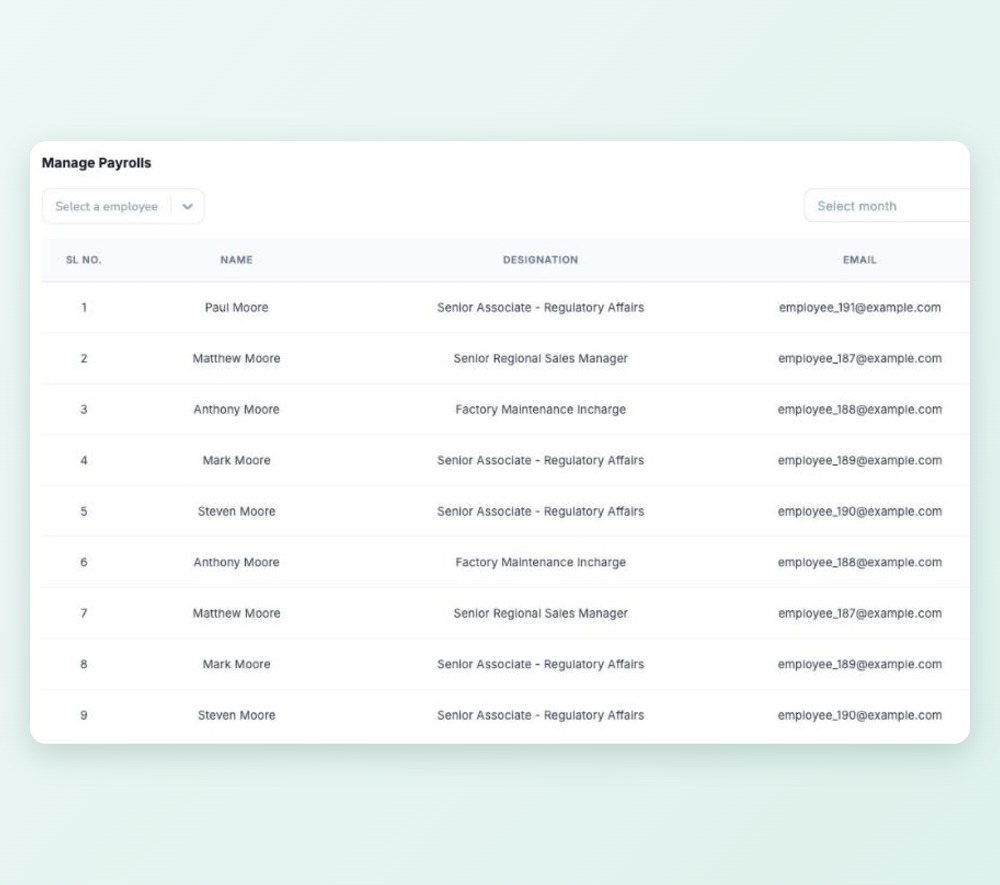
Salary sheet preview

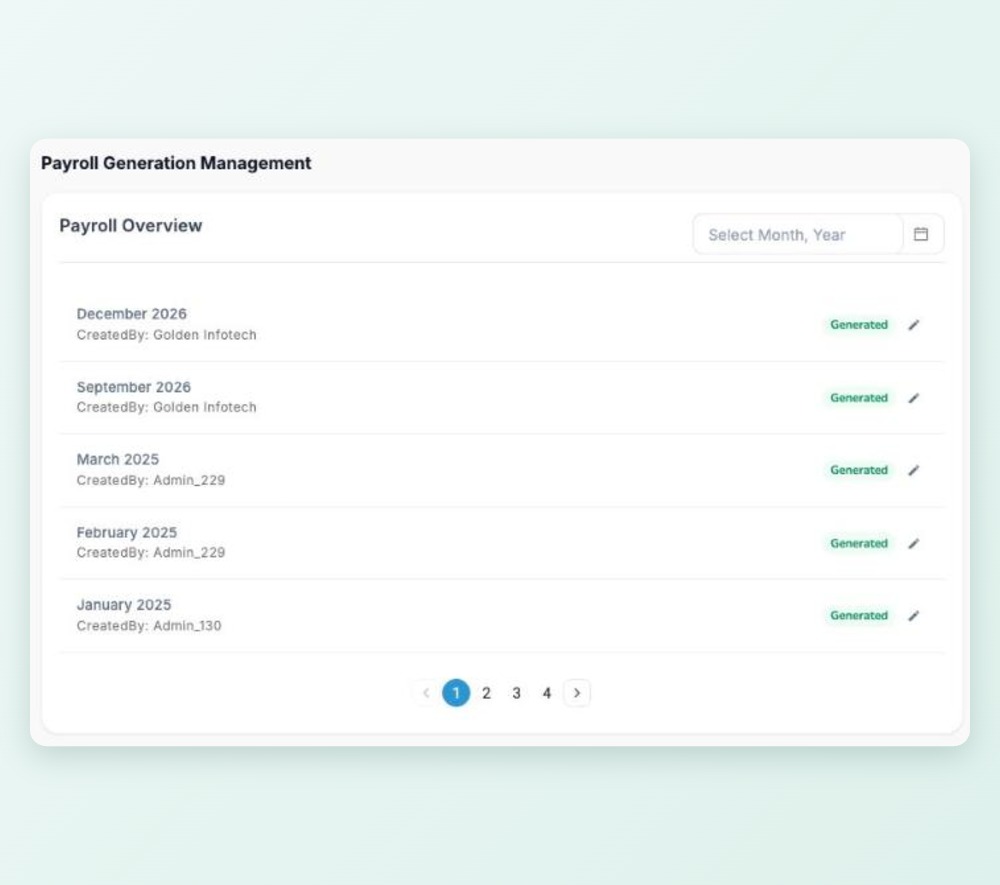
Generate the monthly salary sheet and check every figure before you save it. Late and absence deductions, lunch allowance and LTA come from your own settings.

Salary sheet preview

Bank advice & BEFTN

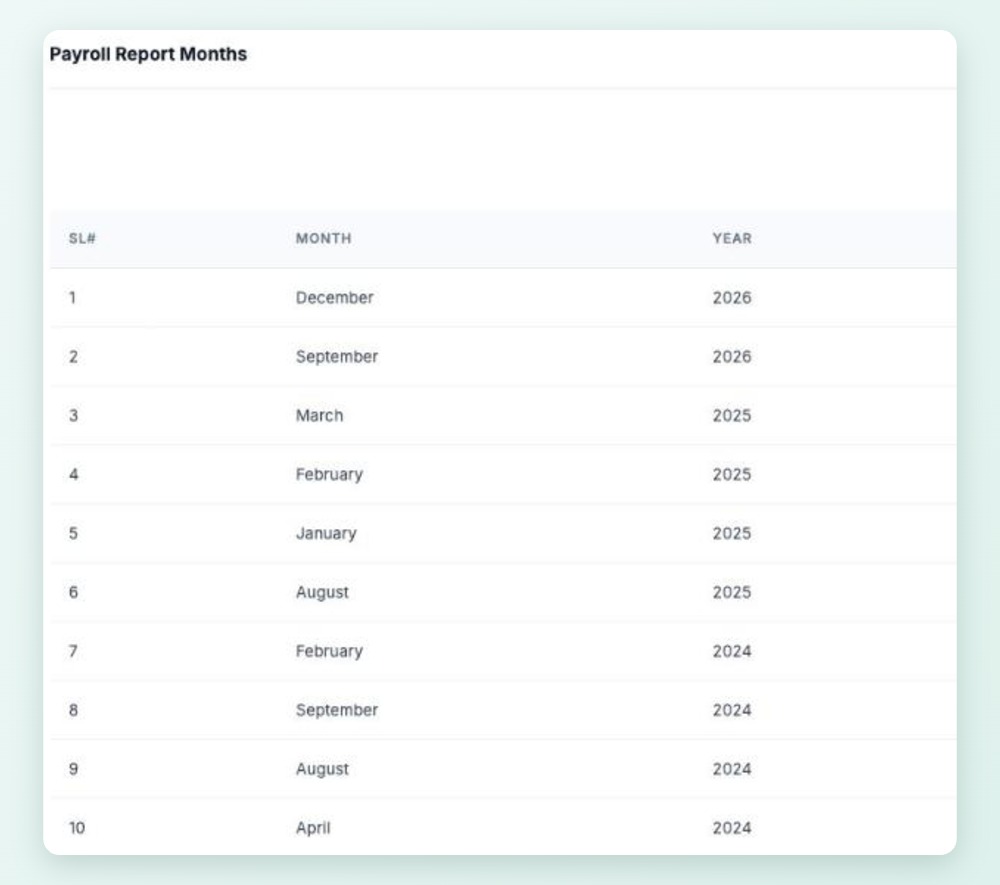
Export a bank advice letter and a BEFTN-format salary sheet for your bank, with each employee's account details filled in.

Bank advice & BEFTN

Payslips on web and phone

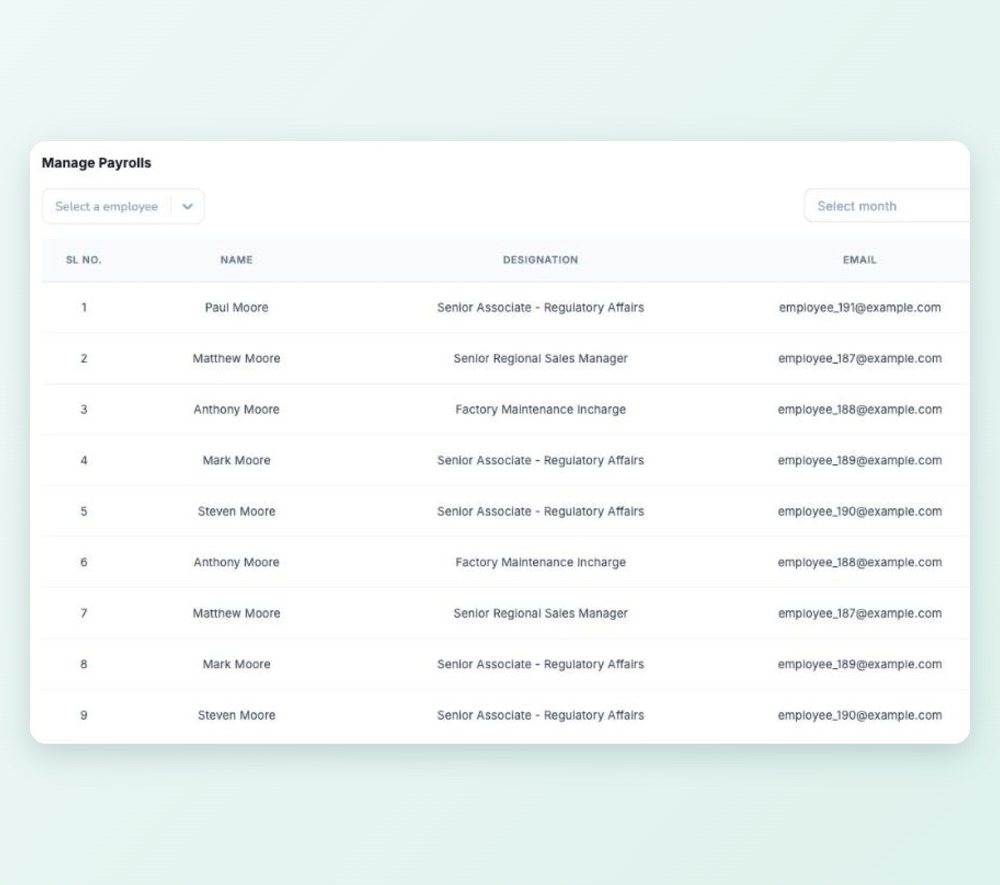
Employees open and download their own payslips from the web app or the Android app.

Payslips on web and phone

Tax worked out for every employee

Yearly income tax from the slabs you set for each taxpayer category, with the investment rebate and minimum tax applied and the deduction spread across the year.

Tax worked out for every employee

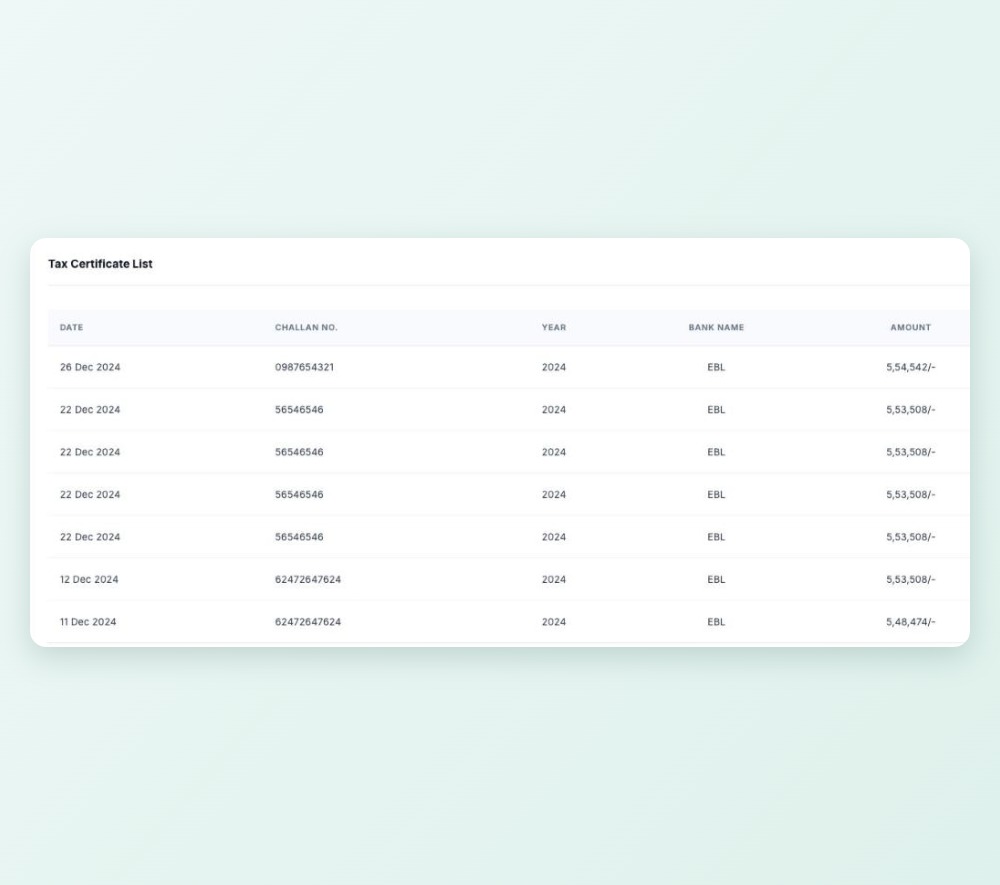
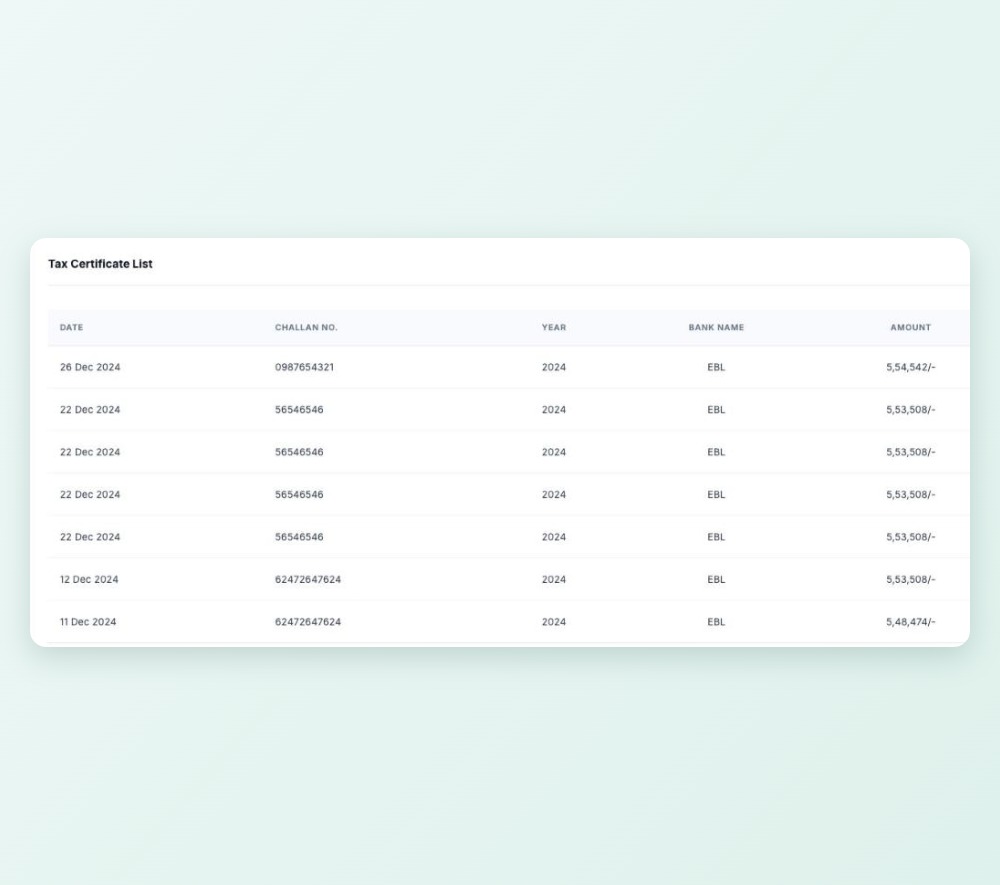
Tax certificates

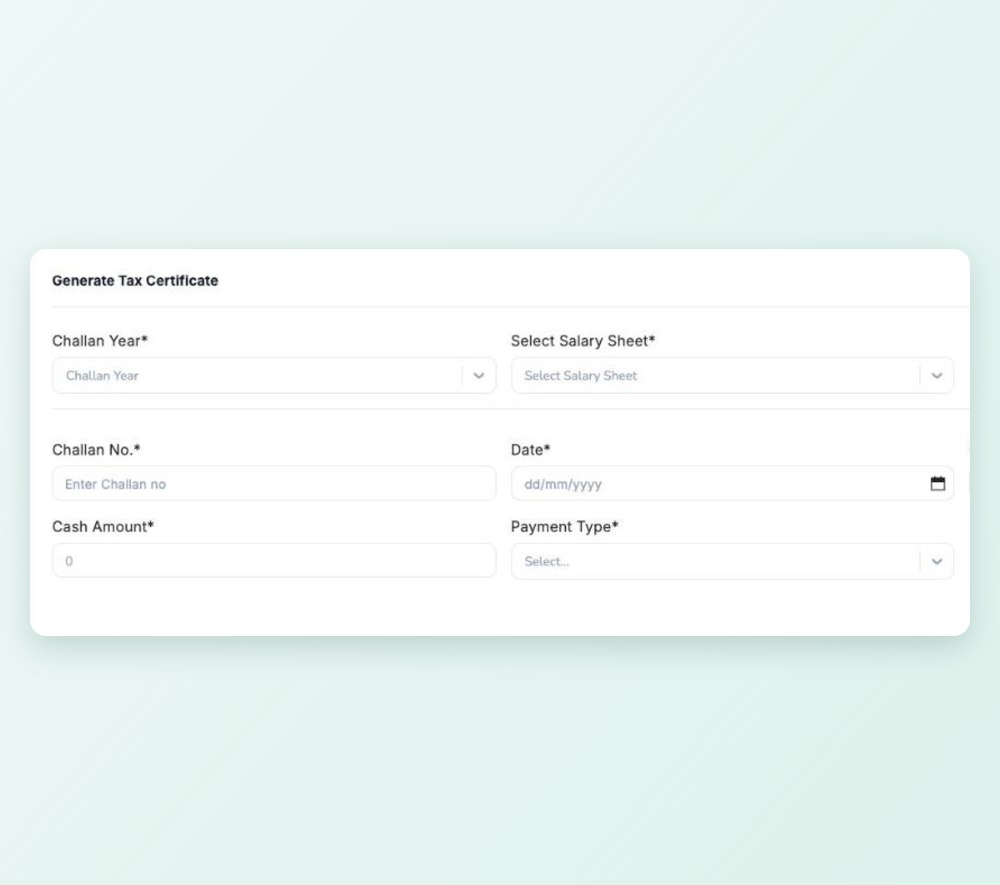
Issue tax certificates to employees at the end of the income year. Employees can download theirs from the app.

Tax certificates

e-TIN, zone and circle on record

Keep each employee's e-TIN, tax zone, circle and return date with their salary details.

e-TIN, zone and circle on record

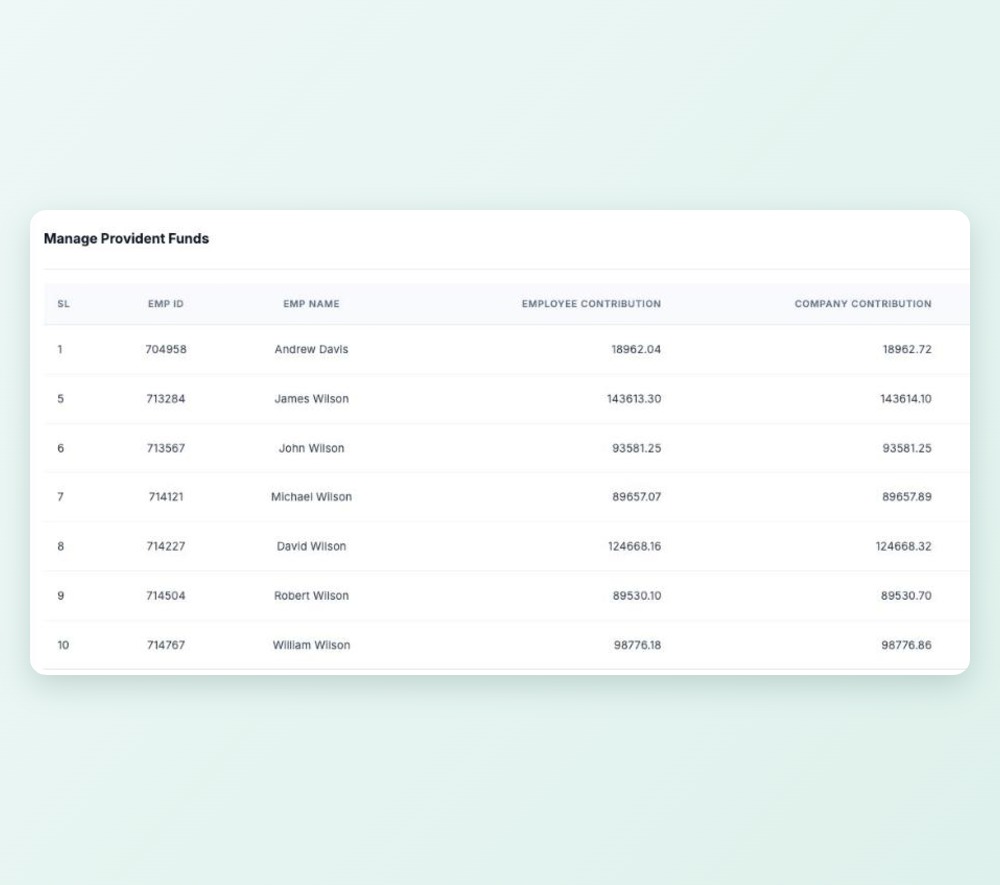
Provident fund ledger

Employee and company contributions in one ledger, with vesting rules for the company share and interest from your PF settings.

Provident fund ledger

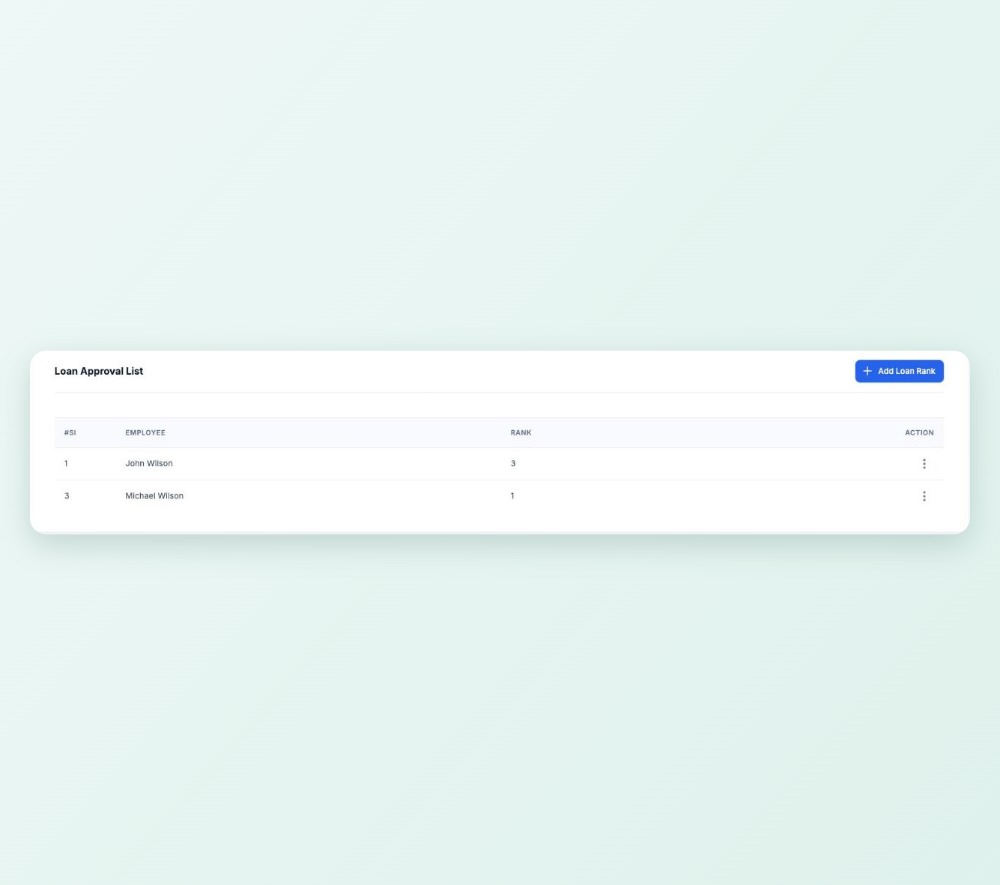
Loans against PF

Employees request loans from their phone. Approvers sign off level by level, the amount is capped against the PF balance and instalments are tracked.

Loans against PF

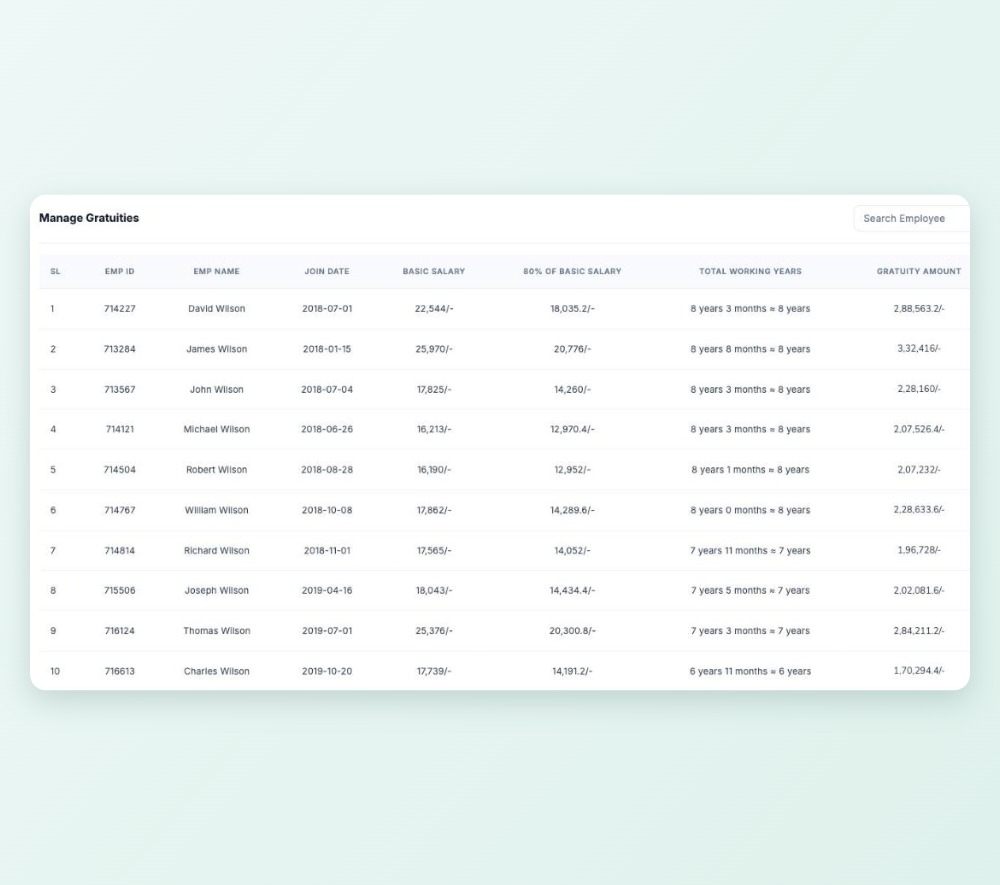
Gratuity and final settlement

When someone leaves, TeamUp gathers gratuity, leave encashment, PF and other dues for the final settlement, approved by the line manager and then HR.

Gratuity and final settlement

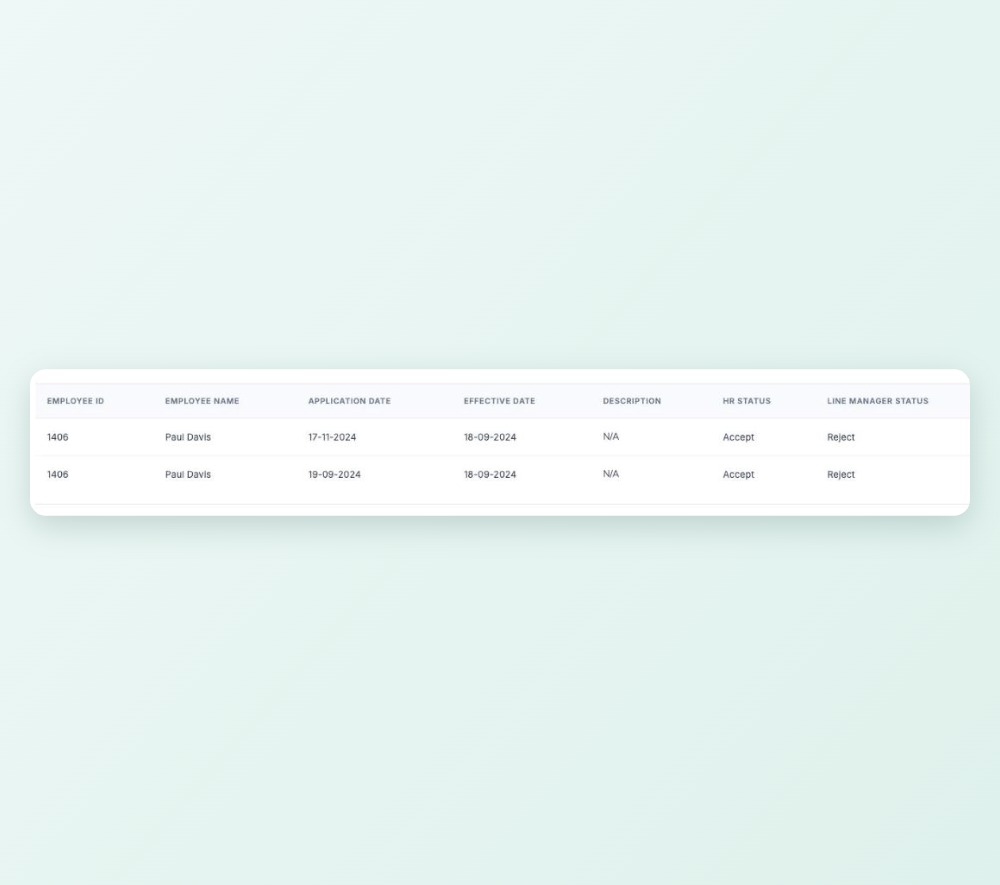
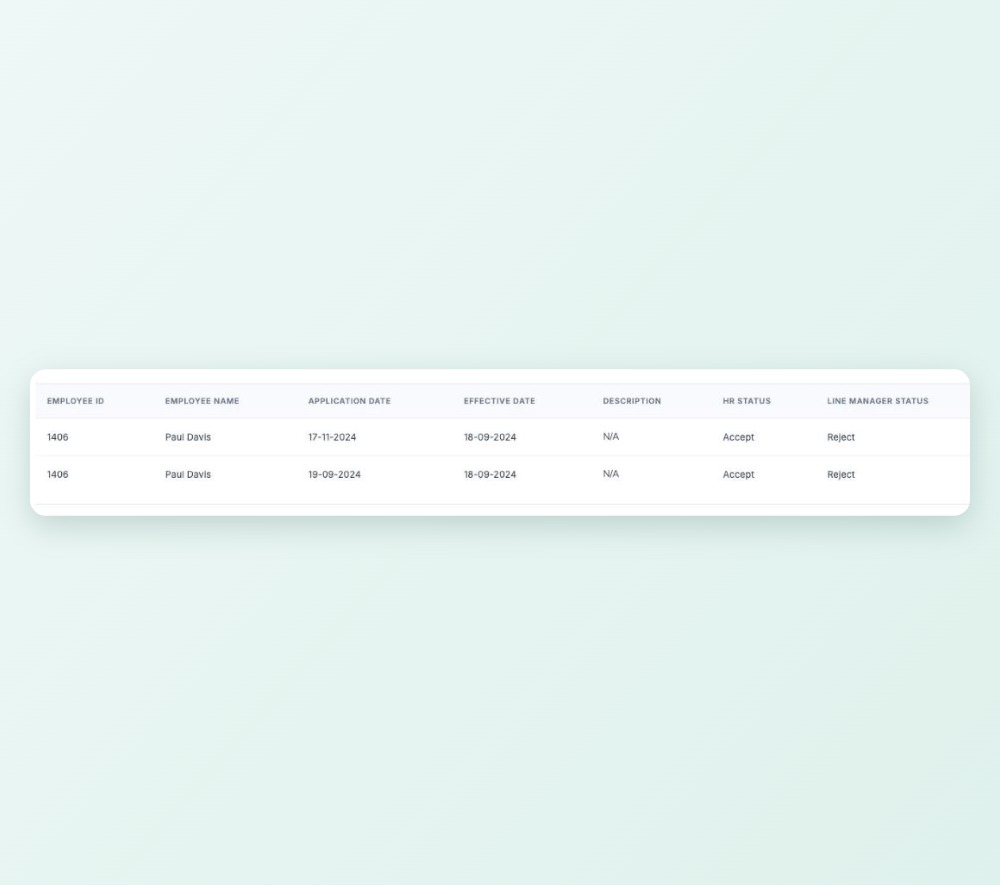
Request and approval

The employee requests settlement with the documents HR needs. The line manager approves, then HR.

Request and approval

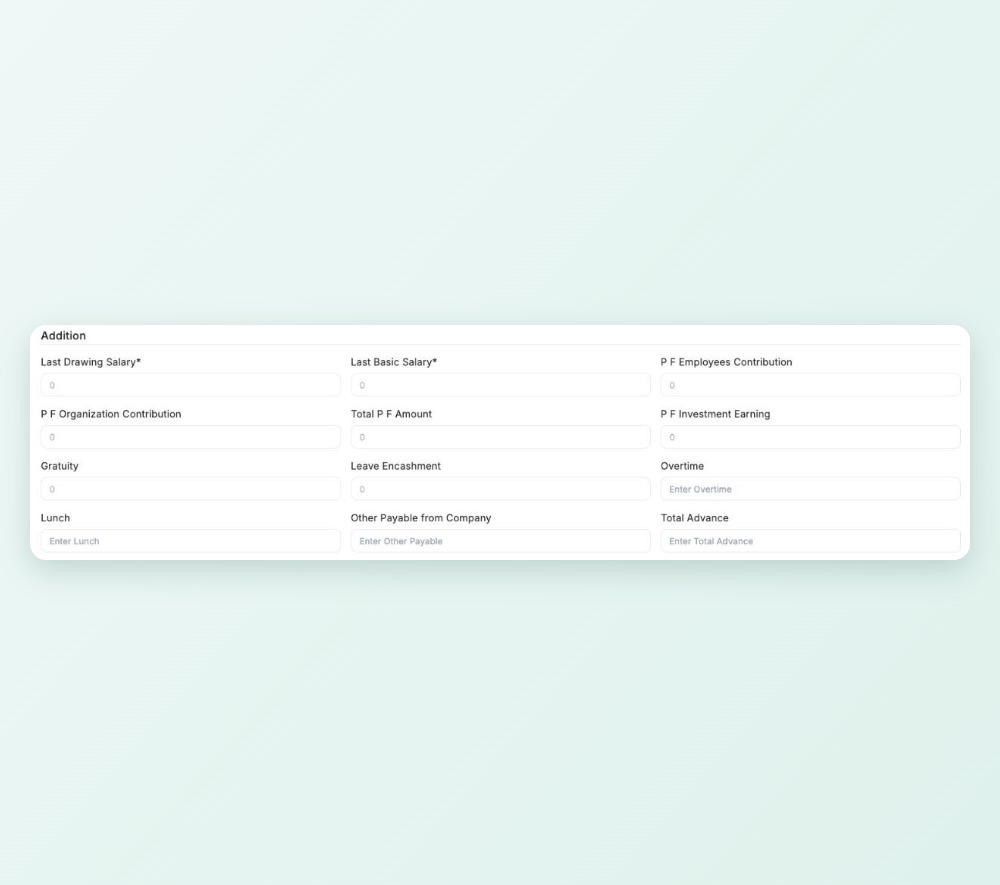
Dues on one screen

Gratuity, leave encashment, provident fund and other earnings and deductions gathered together.

Dues on one screen

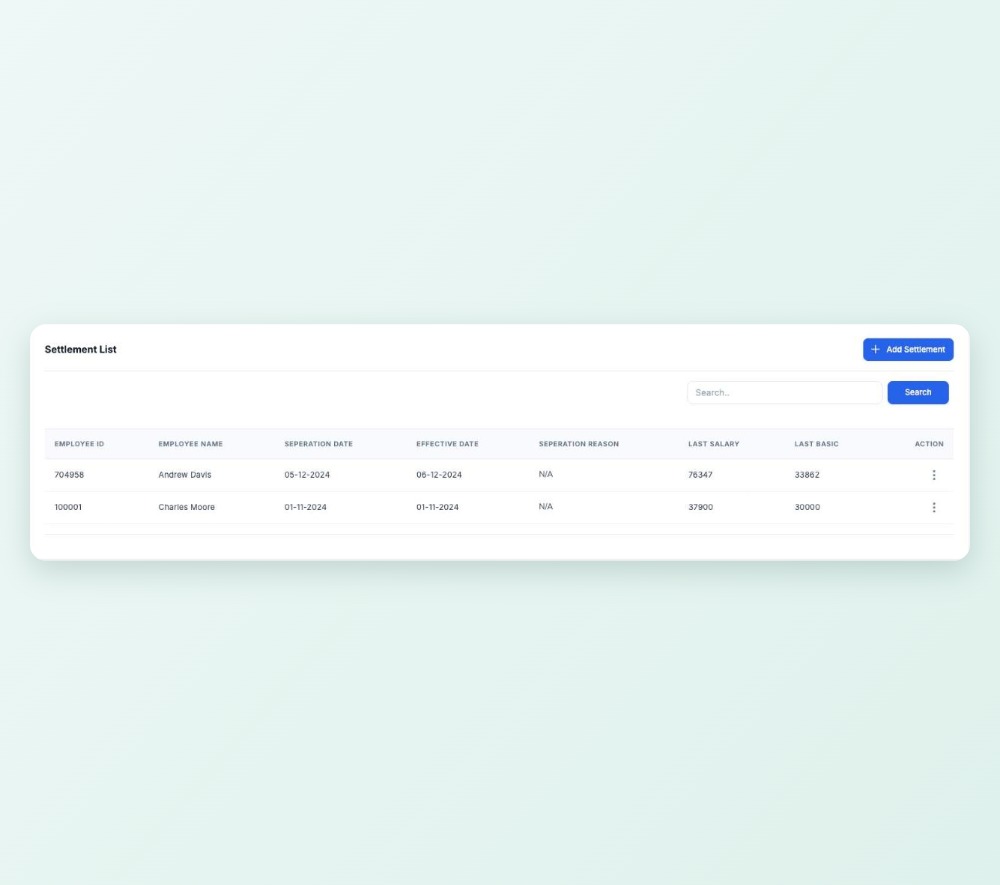
Settlement records

Produce the settlement document and export settlement reports.

Settlement records

Claims from the phone

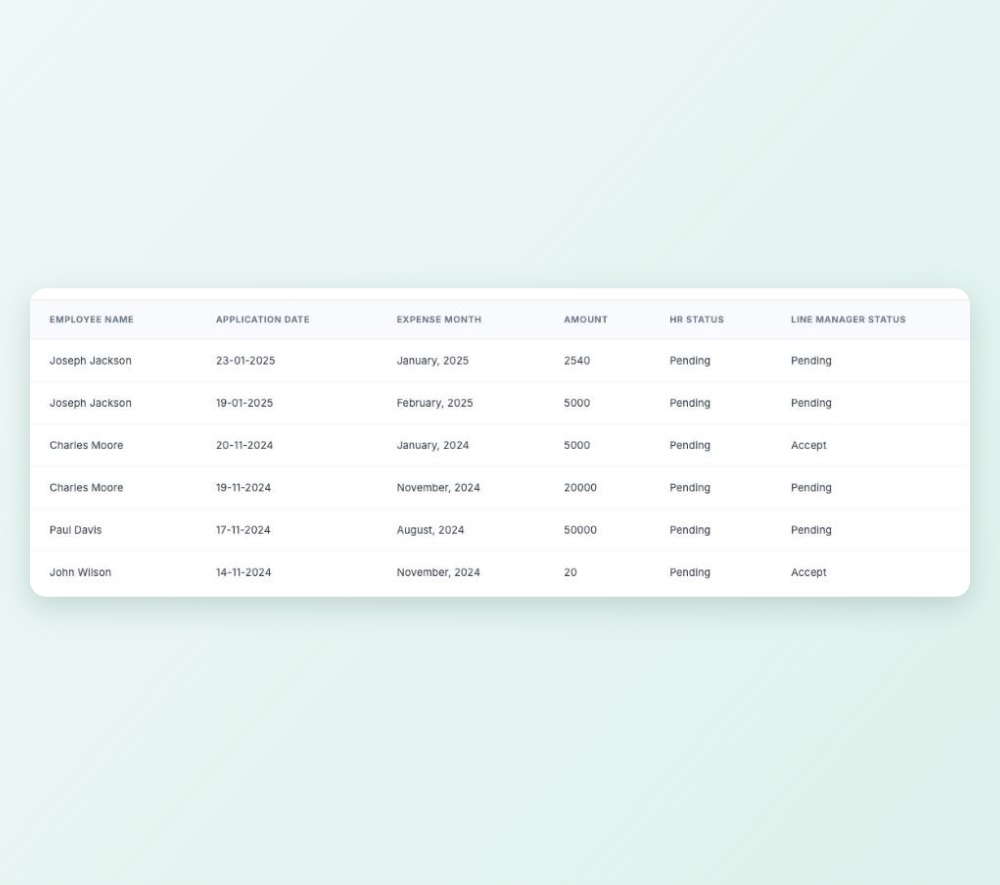
Field staff file expense claims with the month, amount, note and a receipt.

Claims from the phone

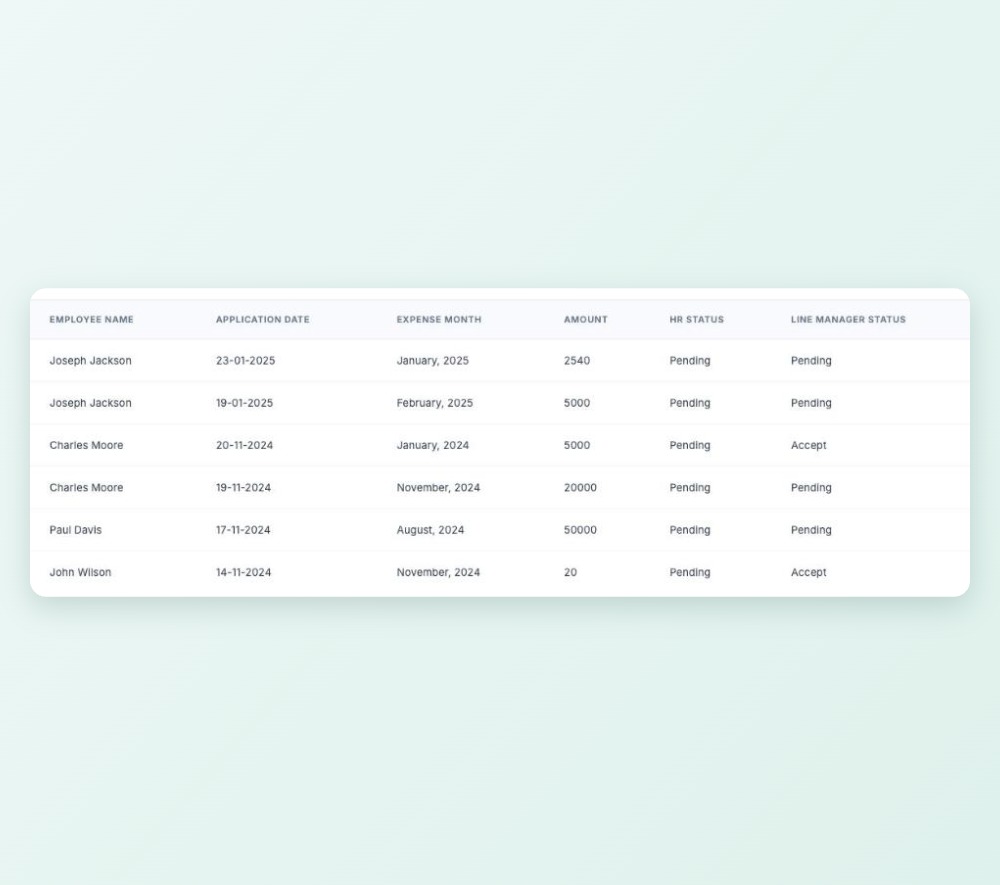
Manager, then HR

Each claim goes to the line manager and then HR, with notifications at each step.

Manager, then HR

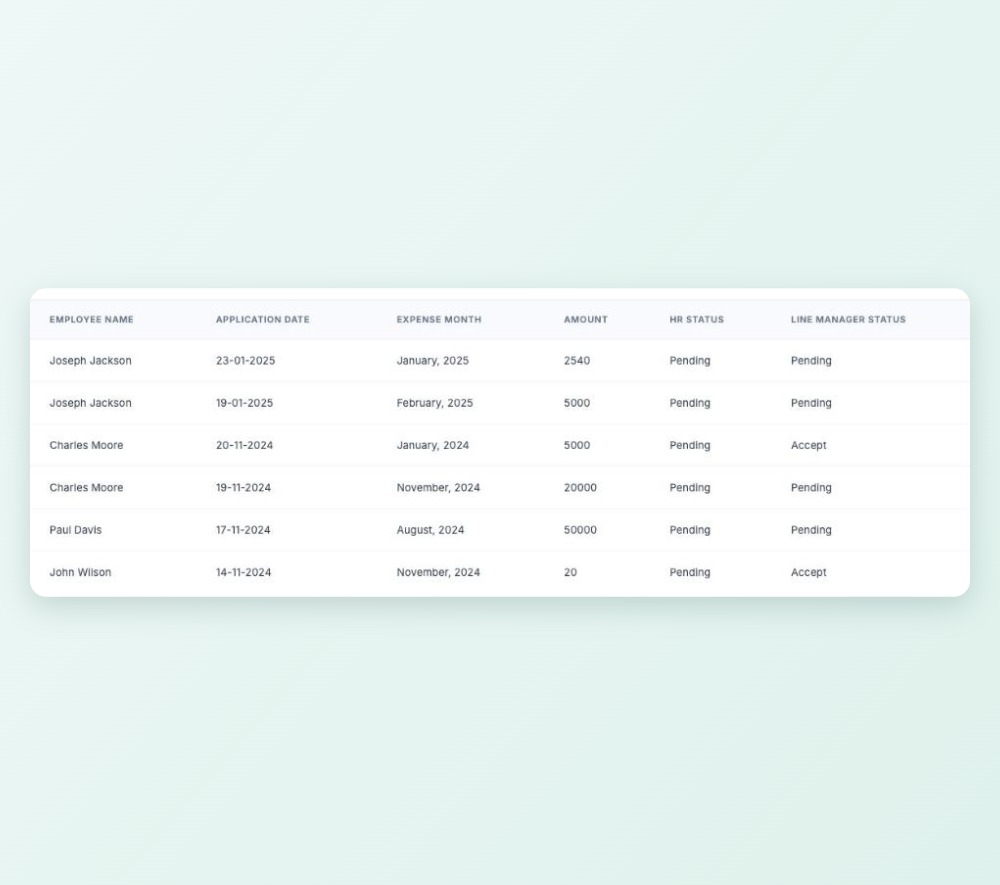
Full claim record

Receipts stay with each claim, and managers see their own team's claims.

Full claim record

People & time

Attendance, people and the workplace

Daily activity report

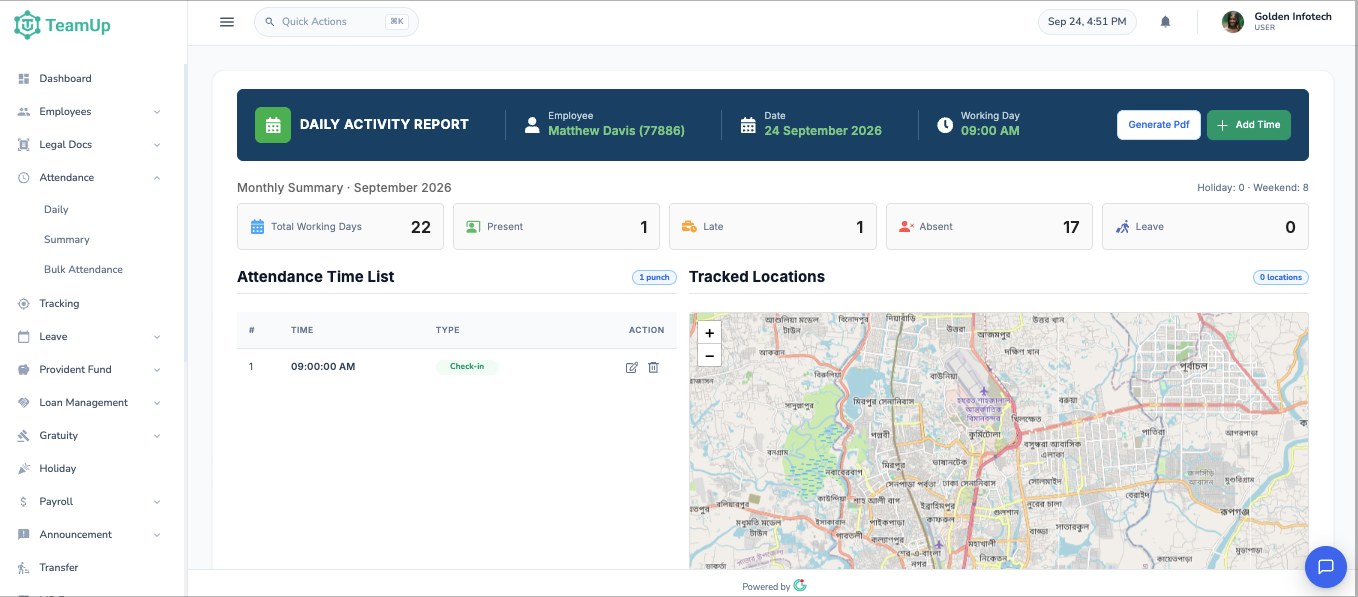
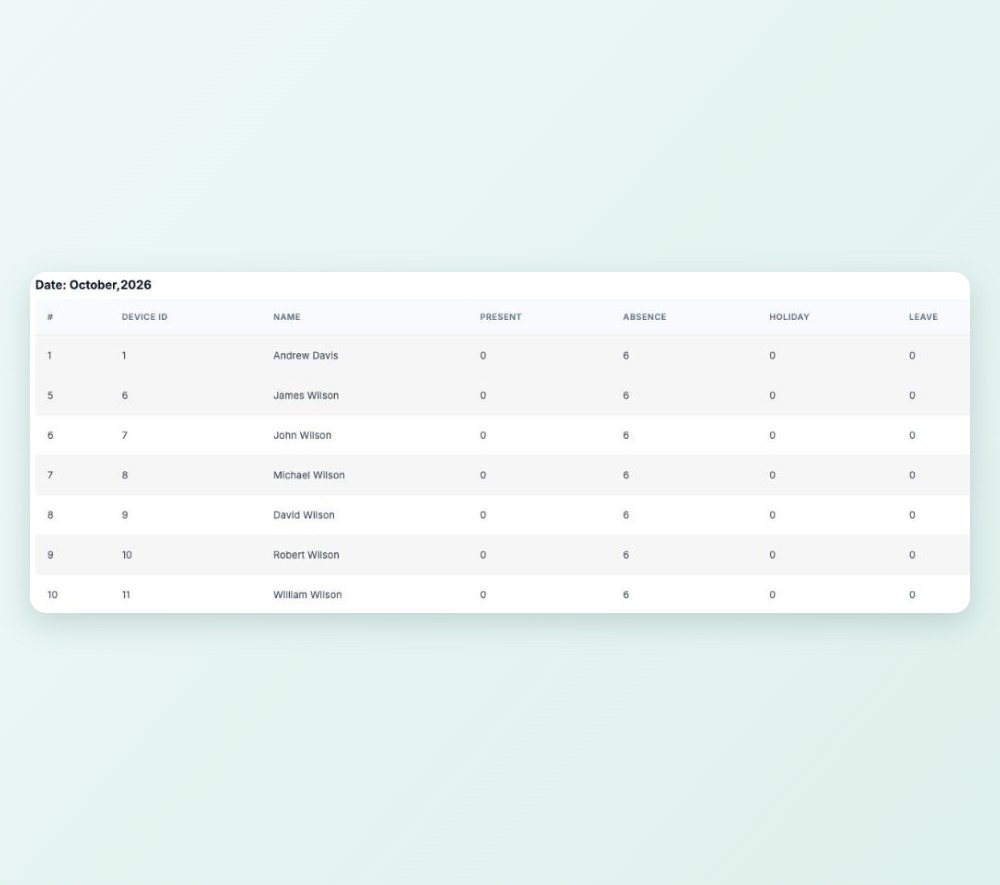
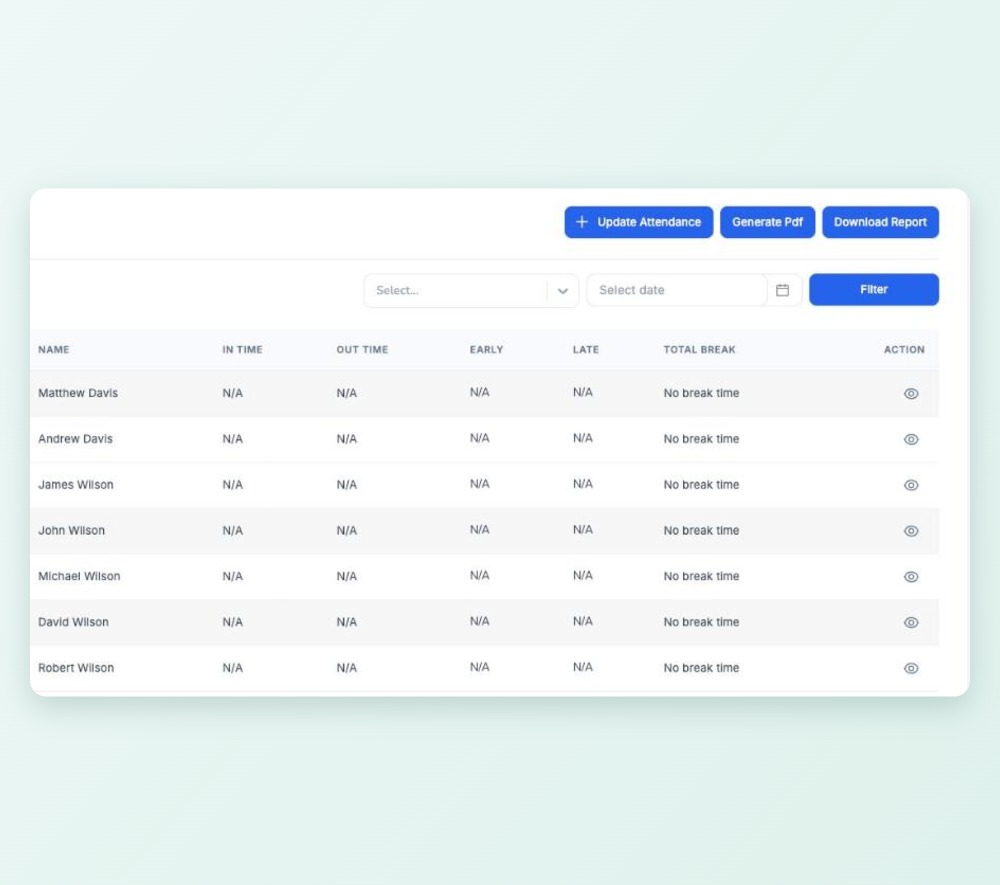
Every punch for an employee on one screen, with the monthly summary of present, late, absent and leave days. Correct a punch, add a missing one or download the day as a PDF.

Daily activity report

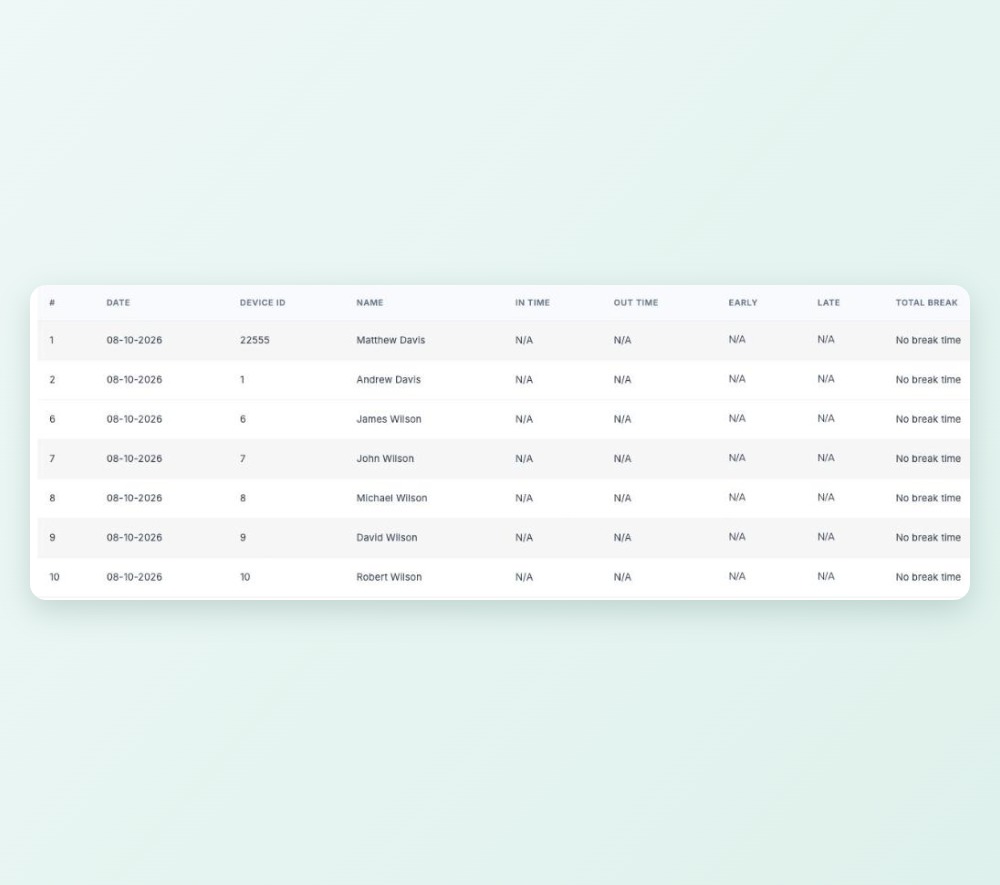
Fingerprint machine import

Export the punch file from your fingerprint machine and upload it. TeamUp matches each device ID to the right employee and pairs in-time, out-time and breaks.

Fingerprint machine import

Rosters and night shifts

Set shift times for each day of the week and give anyone a different shift on any date. A 10 pm to 6 am shift counts as one working day.

Rosters and night shifts

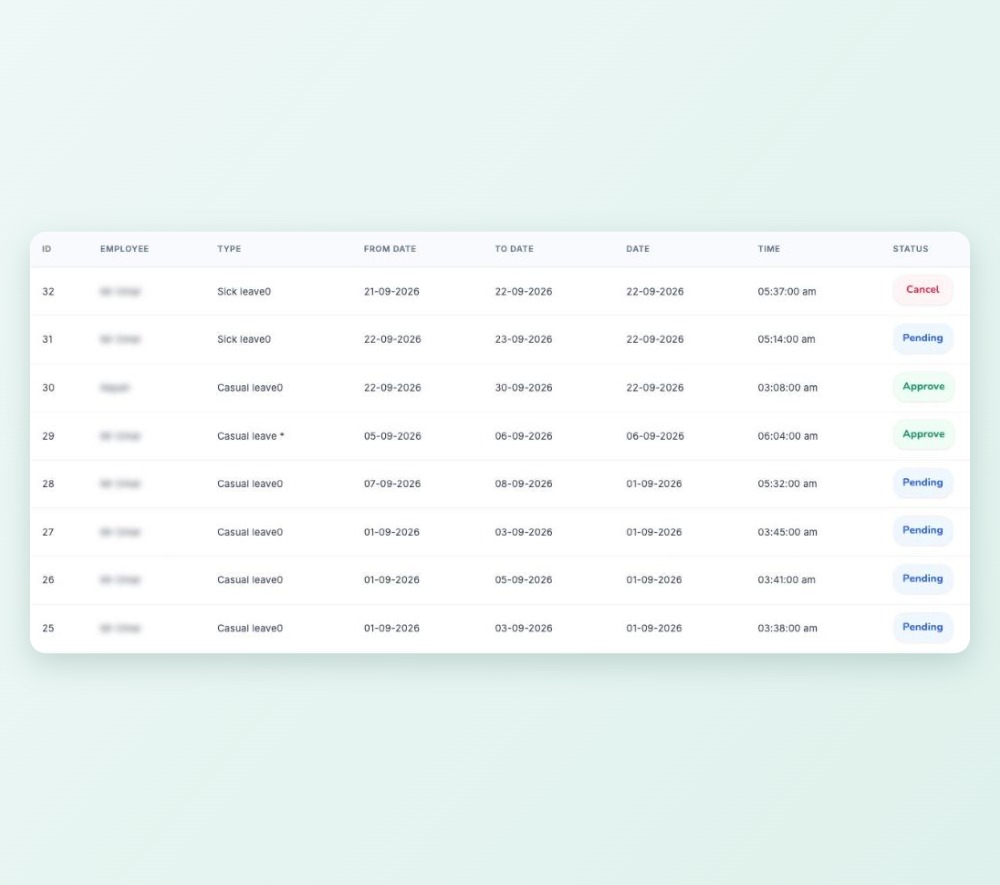
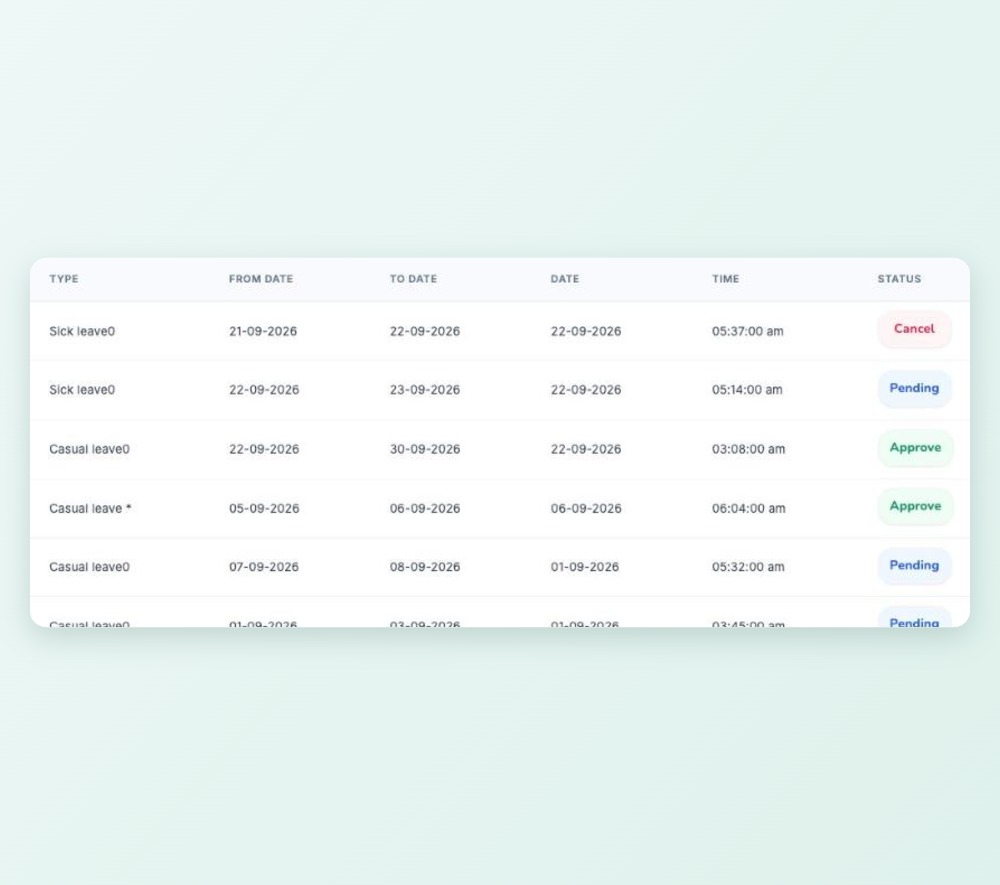
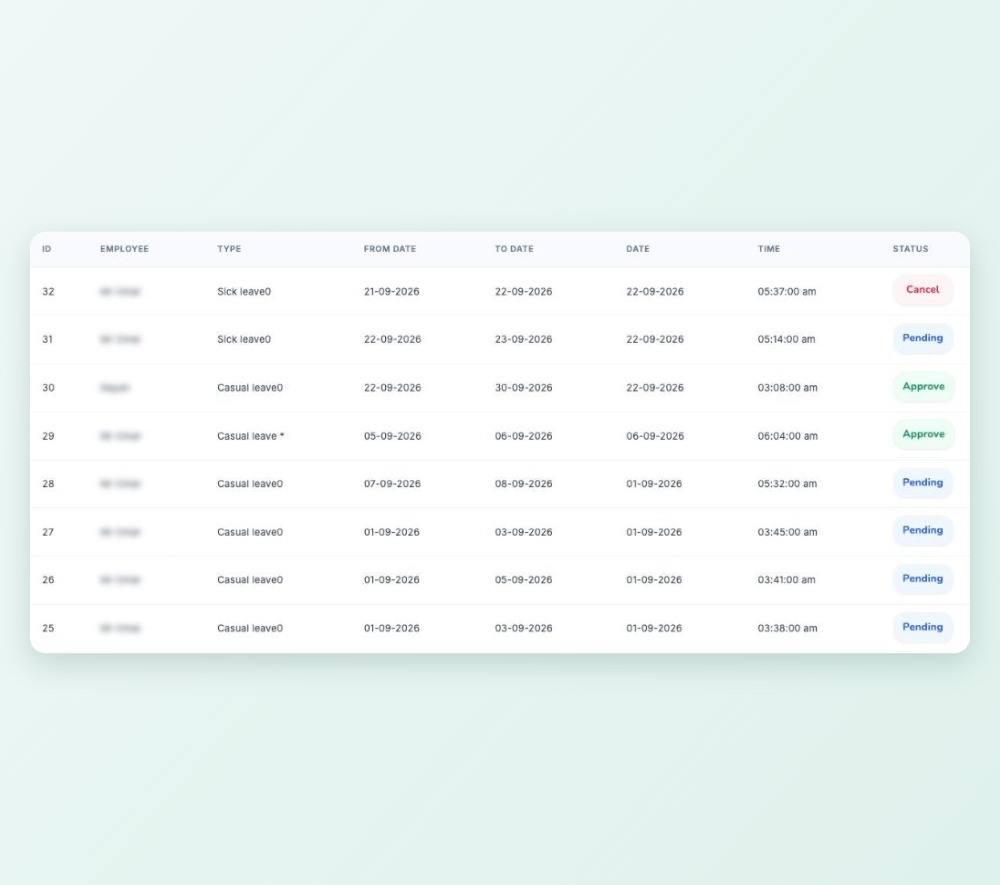
Apply and approve

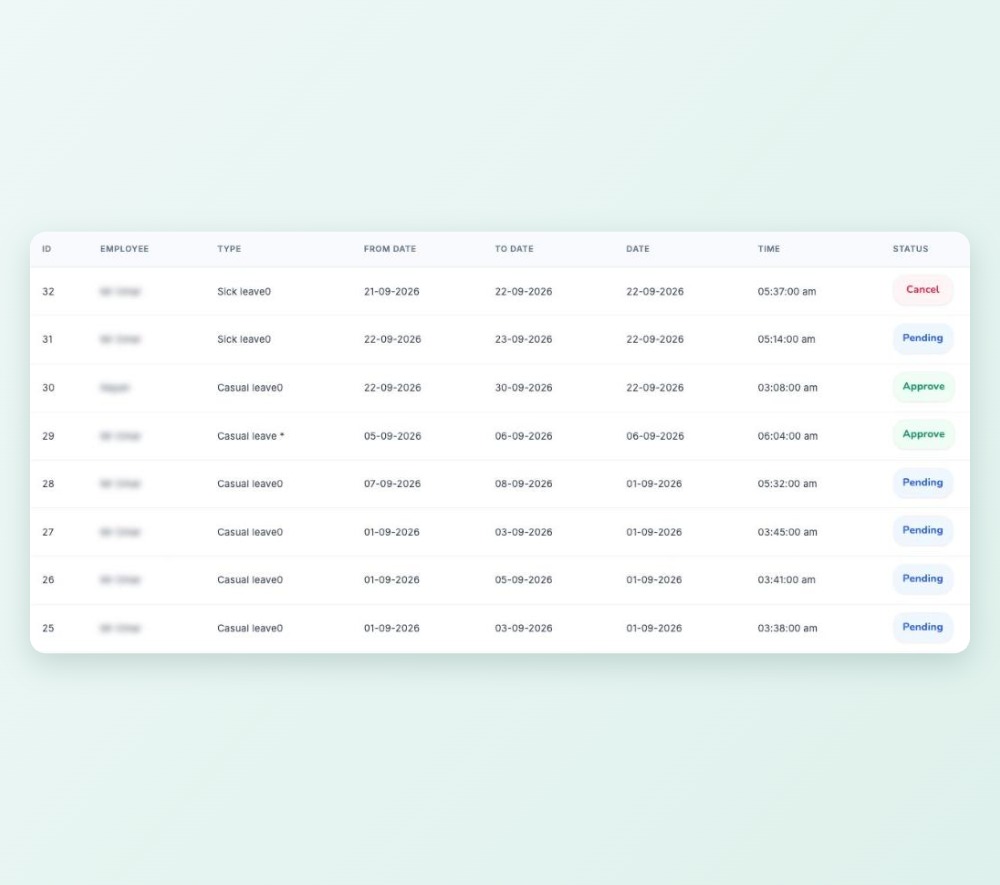
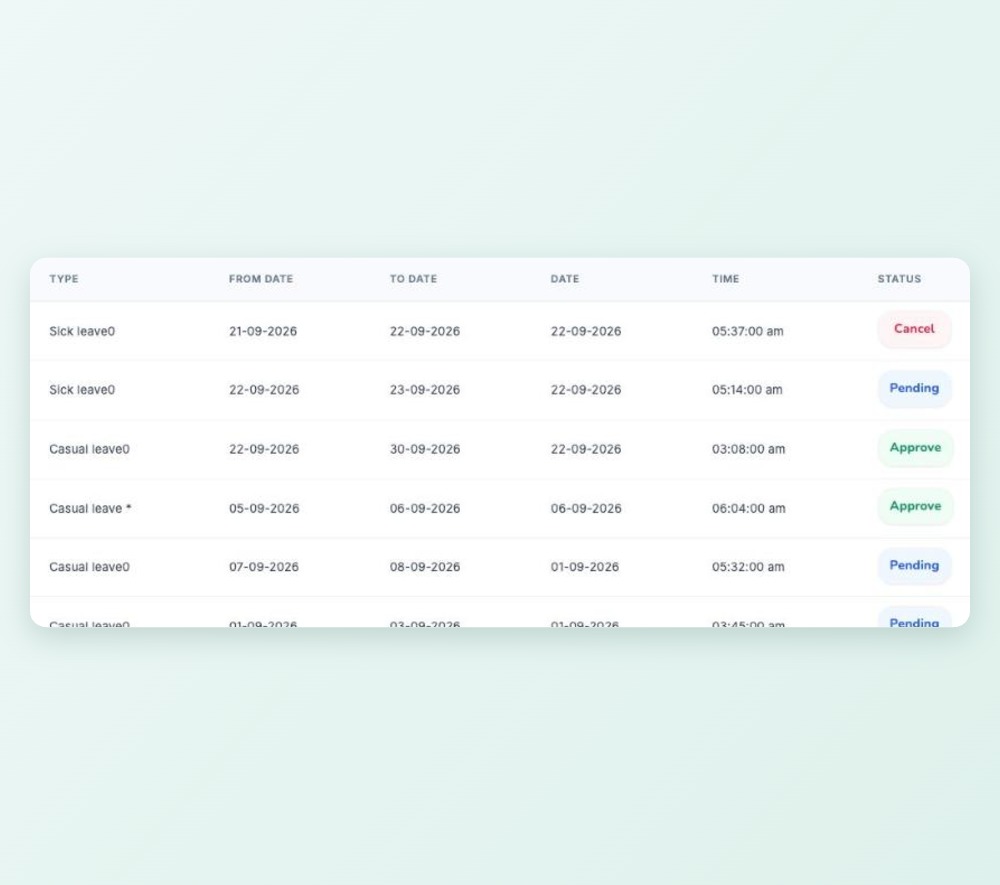
Employees apply from the web or the Android app. The line manager and HR get a notification and an email, and the employee hears back the same way.

Apply and approve

Balances always current

Each employee sees used and remaining days for every leave type, and HR can carry unused leave into the next year.

Balances always current

Sandwich-leave rule

Requests that wrap around a public holiday are blocked automatically, so leave policy is applied the same way for everyone.

Sandwich-leave rule

Map-confirmed check-in

Staff check in from the Android app. Their position is shown on a map and confirmed before the punch is saved.

Map-confirmed check-in

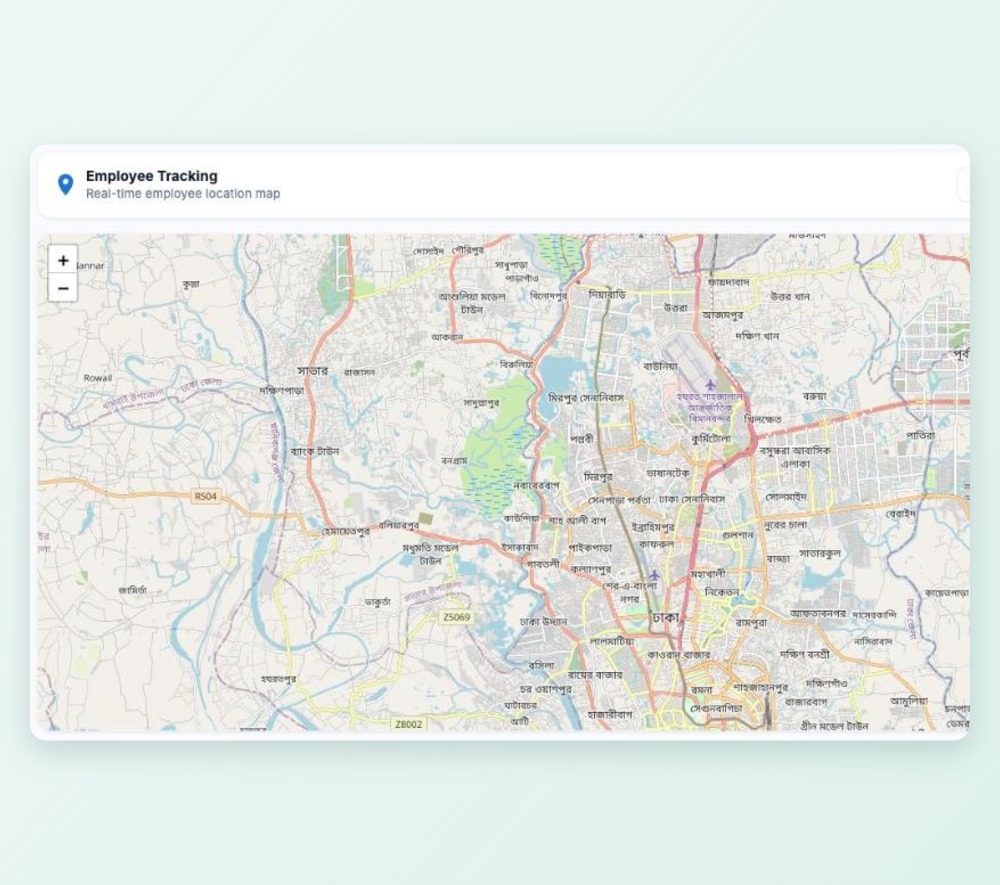
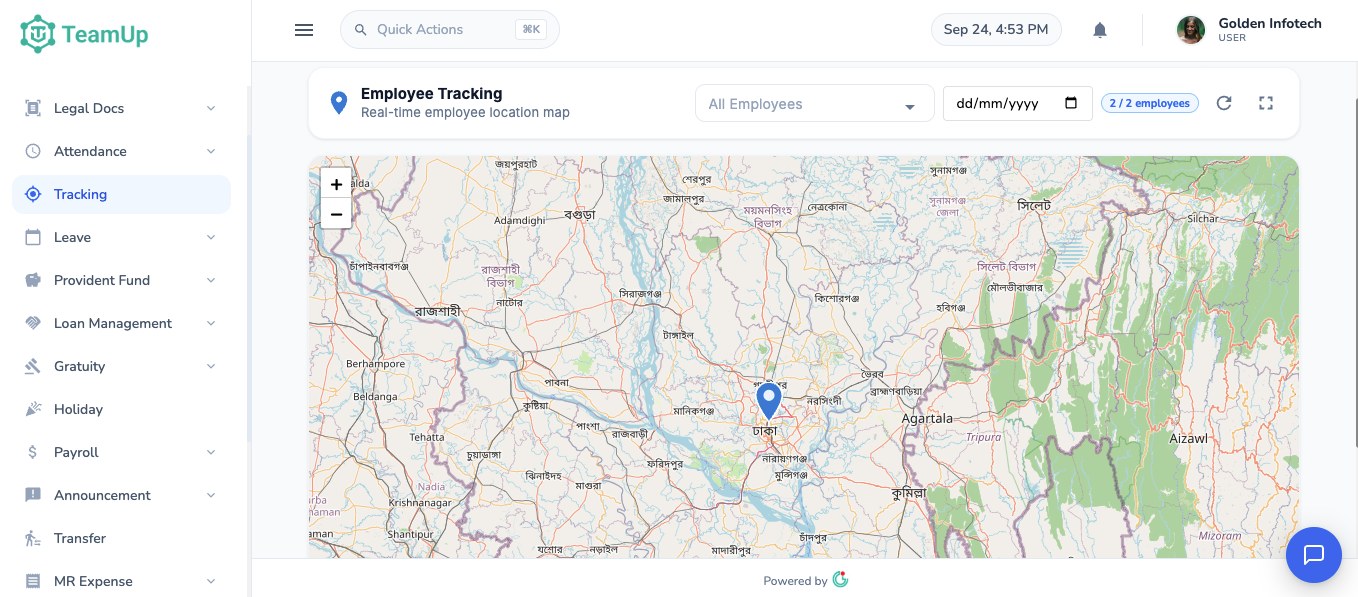
Employee tracking map

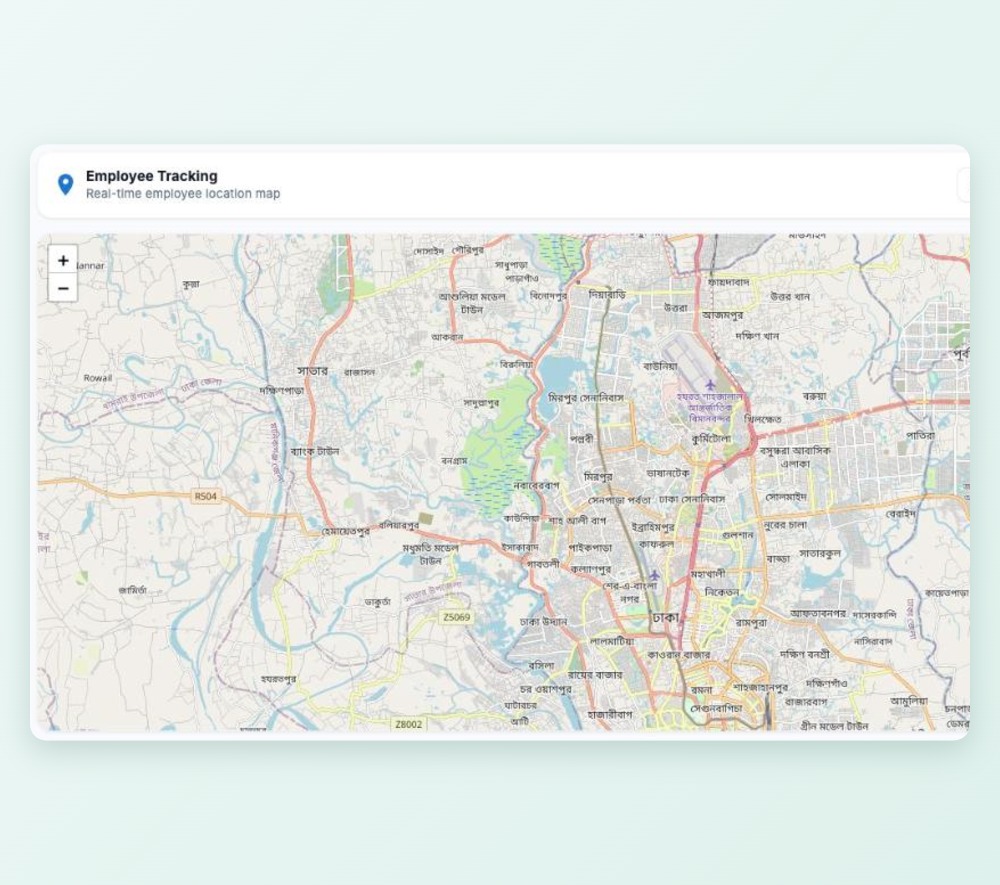
See where on-duty staff checked in and their location every 10 minutes while the app is open, filtered by employee and date.

Employee tracking map

Locations on the daily report

Punches and tracked locations appear side by side on each employee's attendance report.

Locations on the daily report

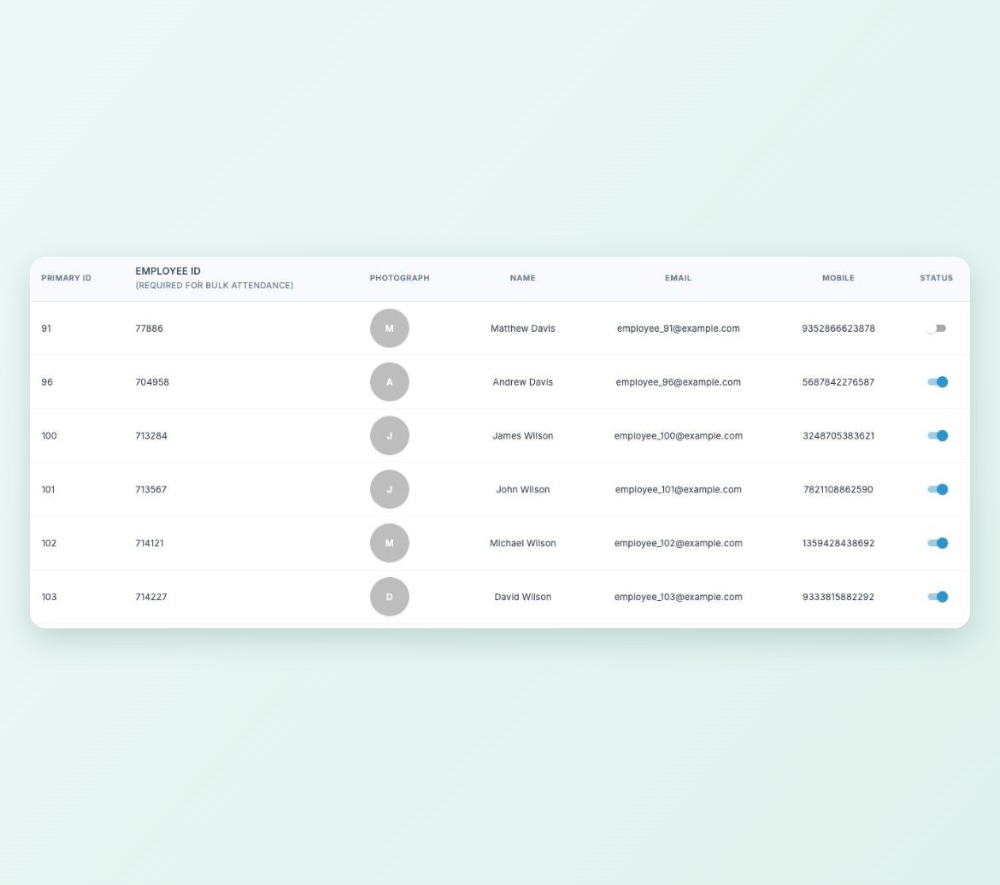
Complete employee profile

Personal, position, salary, bank and mobile banking, nominee, emergency contact, documents and login in one record.

Complete employee profile

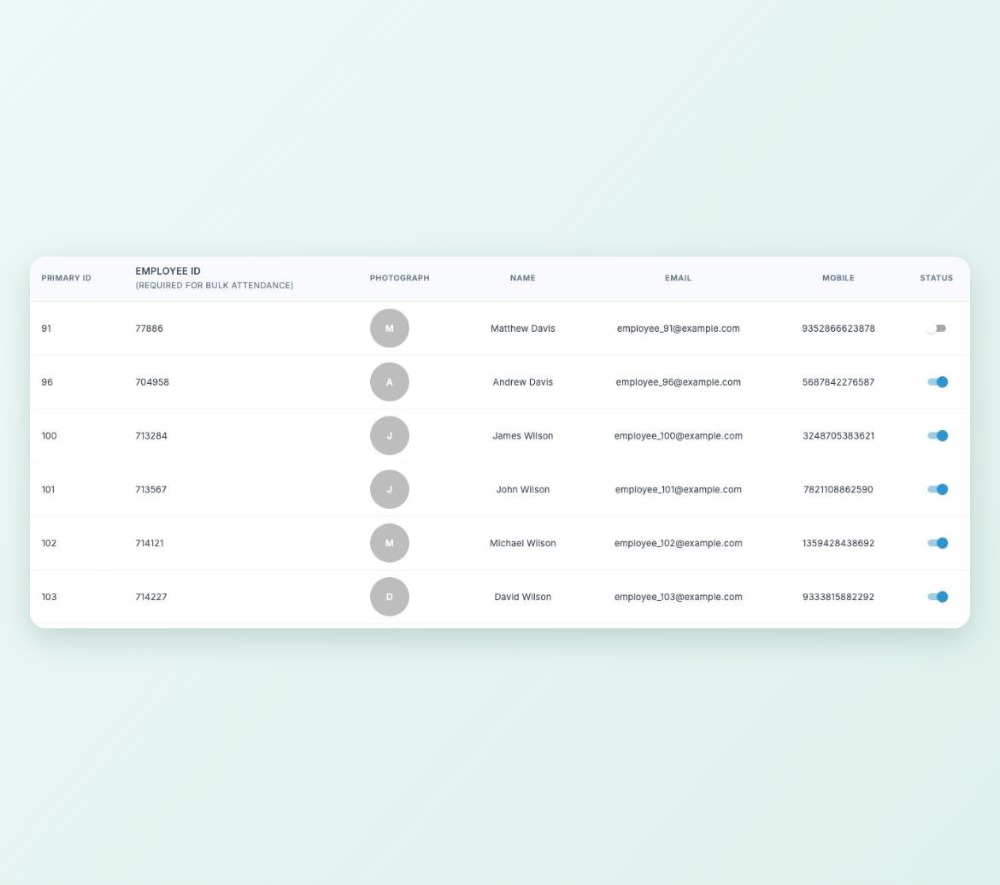
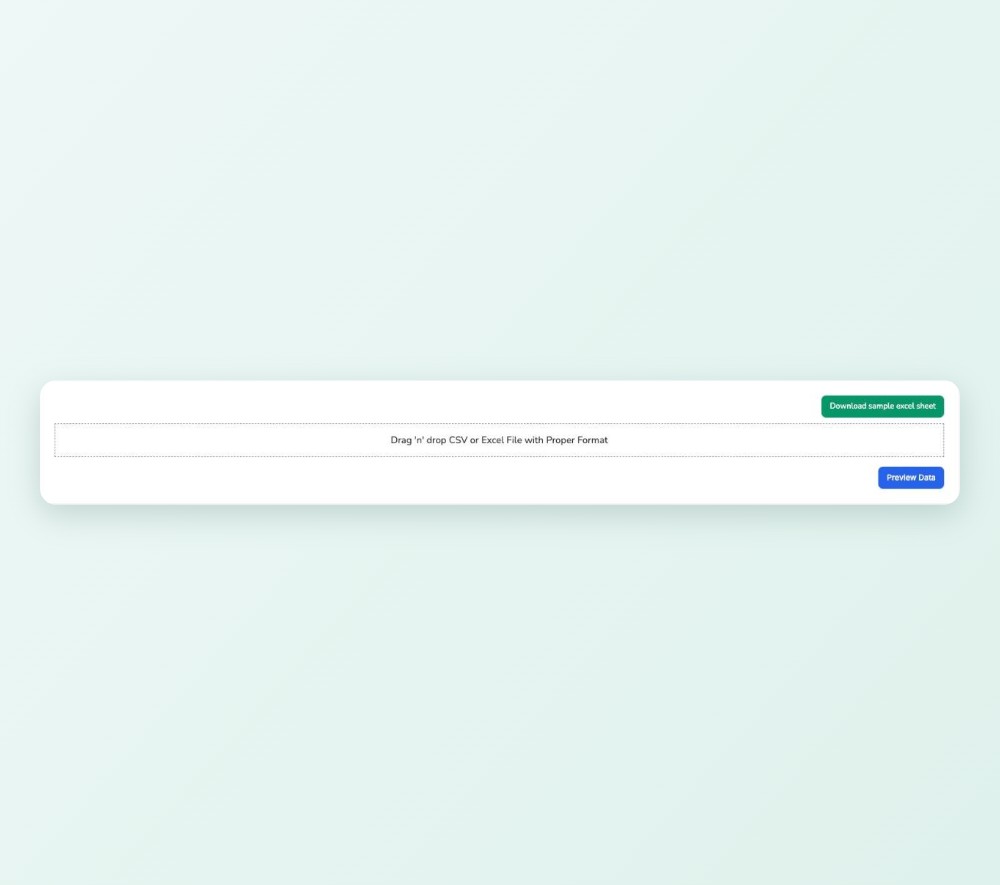
Bulk import from Excel

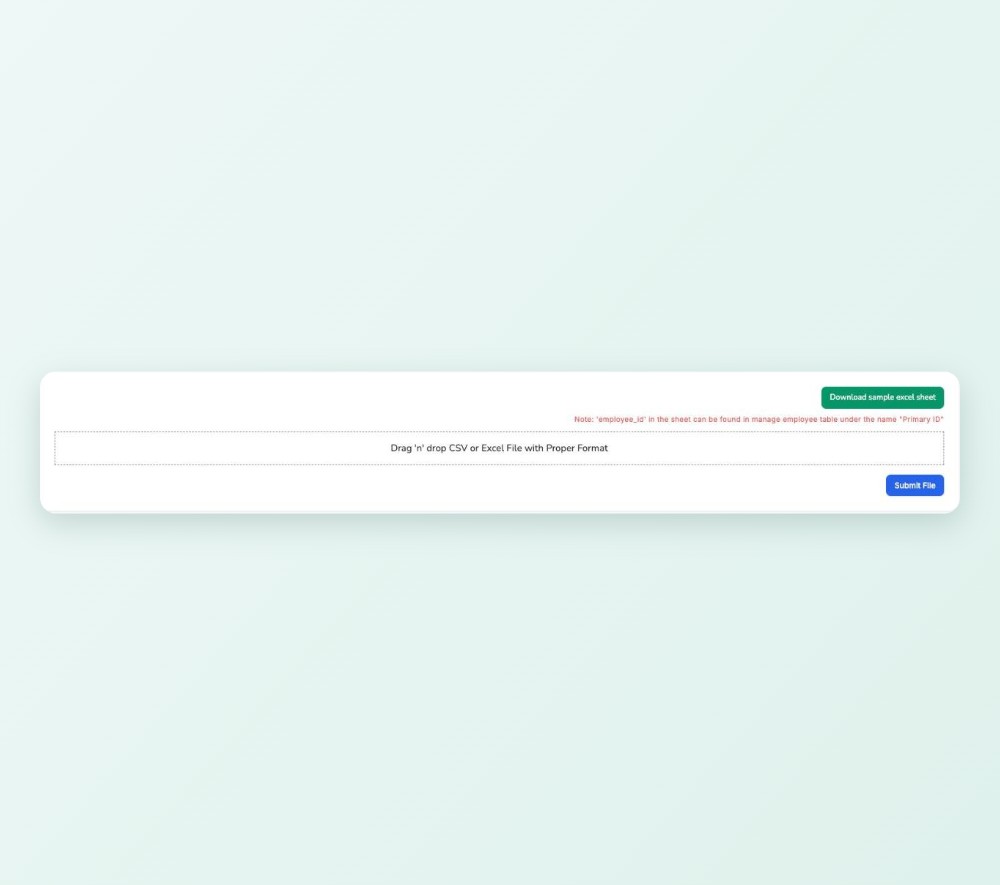
Upload your employee list from an Excel template, check the preview, then save.

Bulk import from Excel

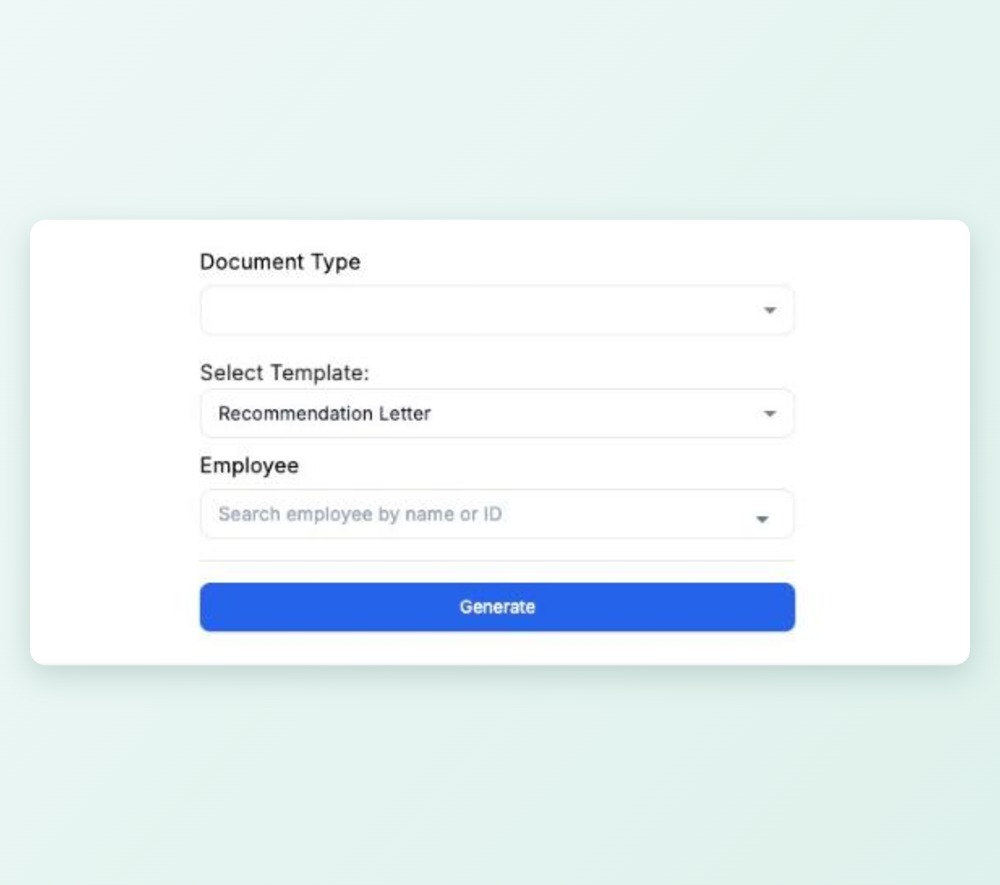
HR letters and transfers

Generate letters from templates, record transfers with approval and keep a service book.

HR letters and transfers

Answers without HR

Employees see their own attendance, leave balance, payslips, tax certificates and PF balance.

Answers without HR

Requests from staff

Leave, loan, settlement and expense requests start with the employee.

Requests from staff

On web and Android

Self-service works in the web app and in the Android app.

On web and Android

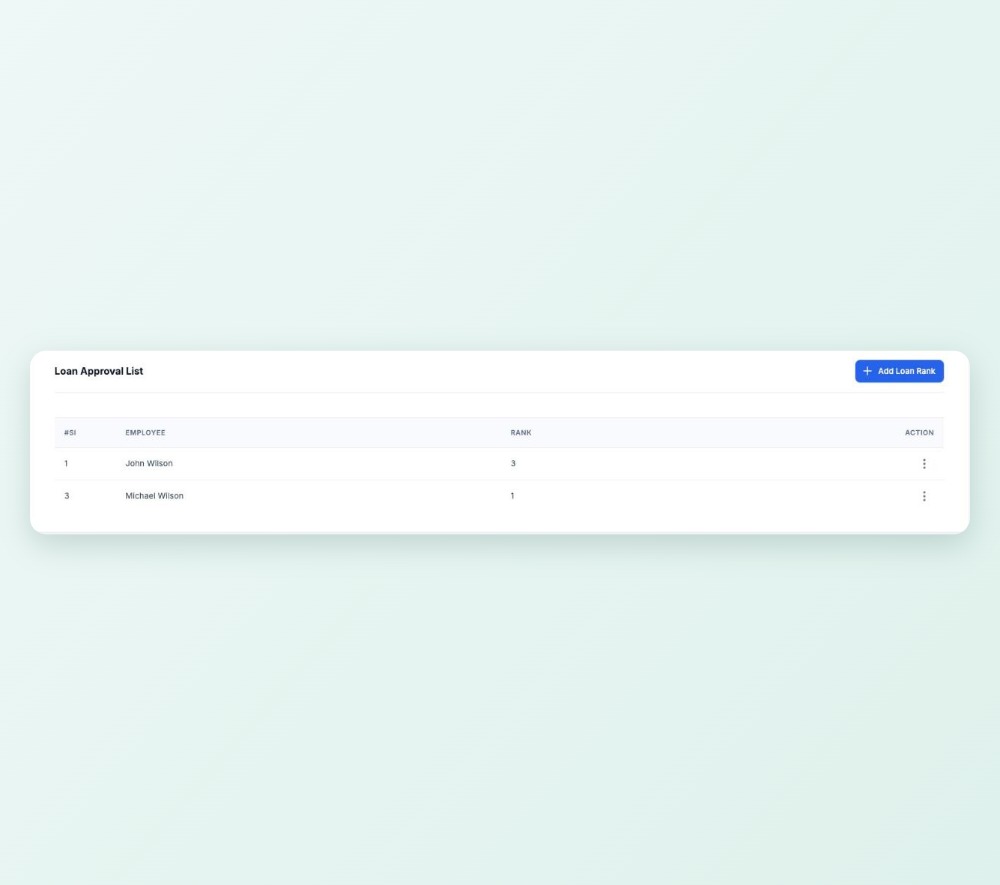
Multi-level loan approval

Set approvers for each level. Each approver has a queue and every request keeps its history.

Multi-level loan approval

Manager, then HR

Settlements and expense claims go to the line manager first, then HR.

Manager, then HR

Payroll and records

Salary sheets, transfers and PF records are approved before they count.

Payroll and records

Announcements

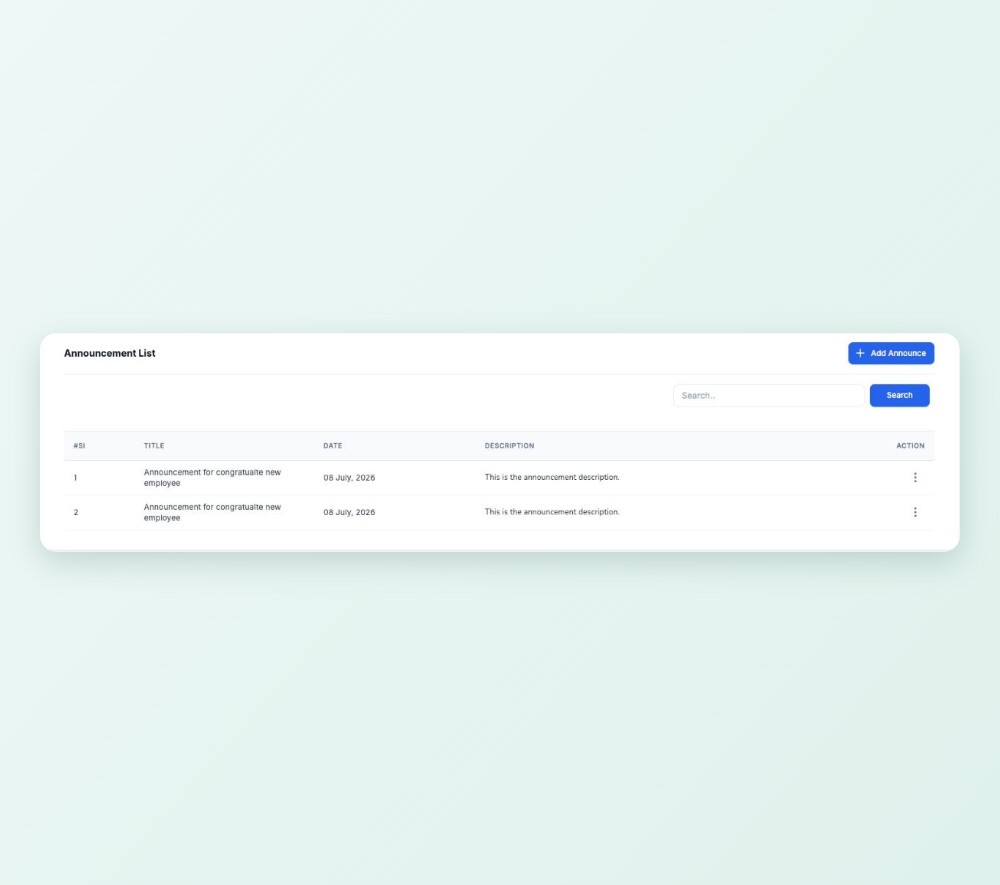
Post to the whole company or chosen roles, and staff see them on the web and in the app.

Announcements

Notifications

Leave, settlement and expense updates notify the right people in the app, and leave also by email.

Notifications

Internal messages

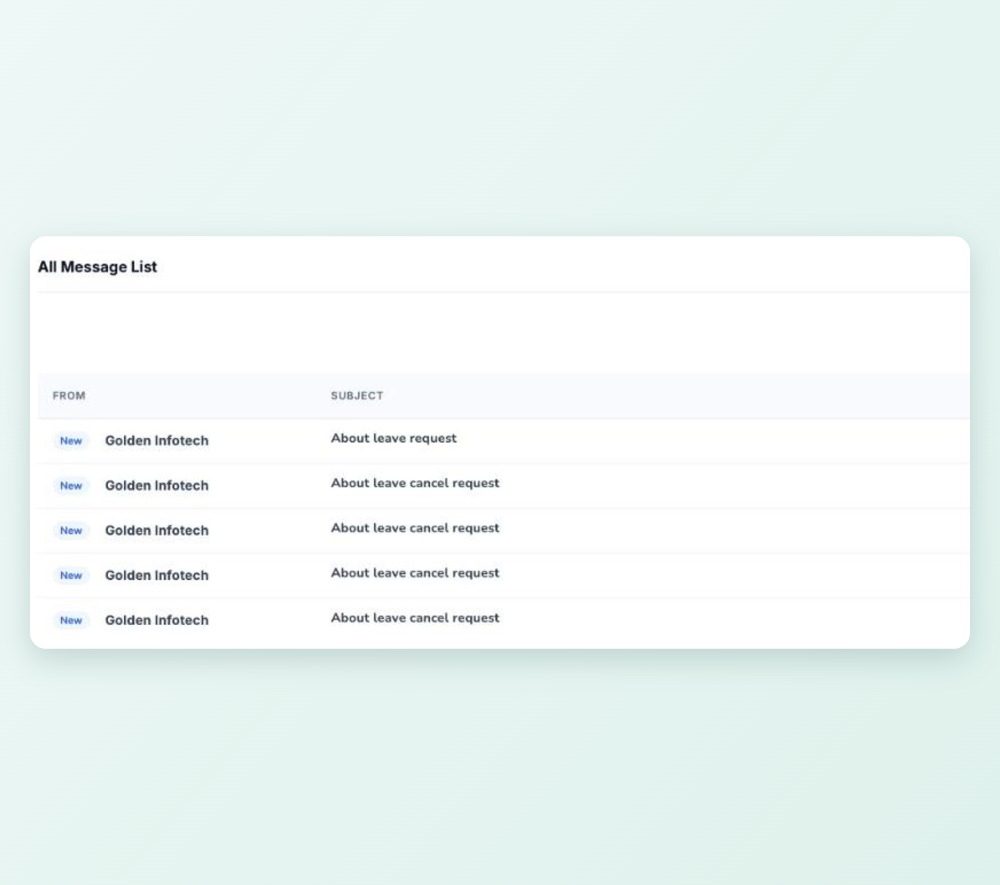
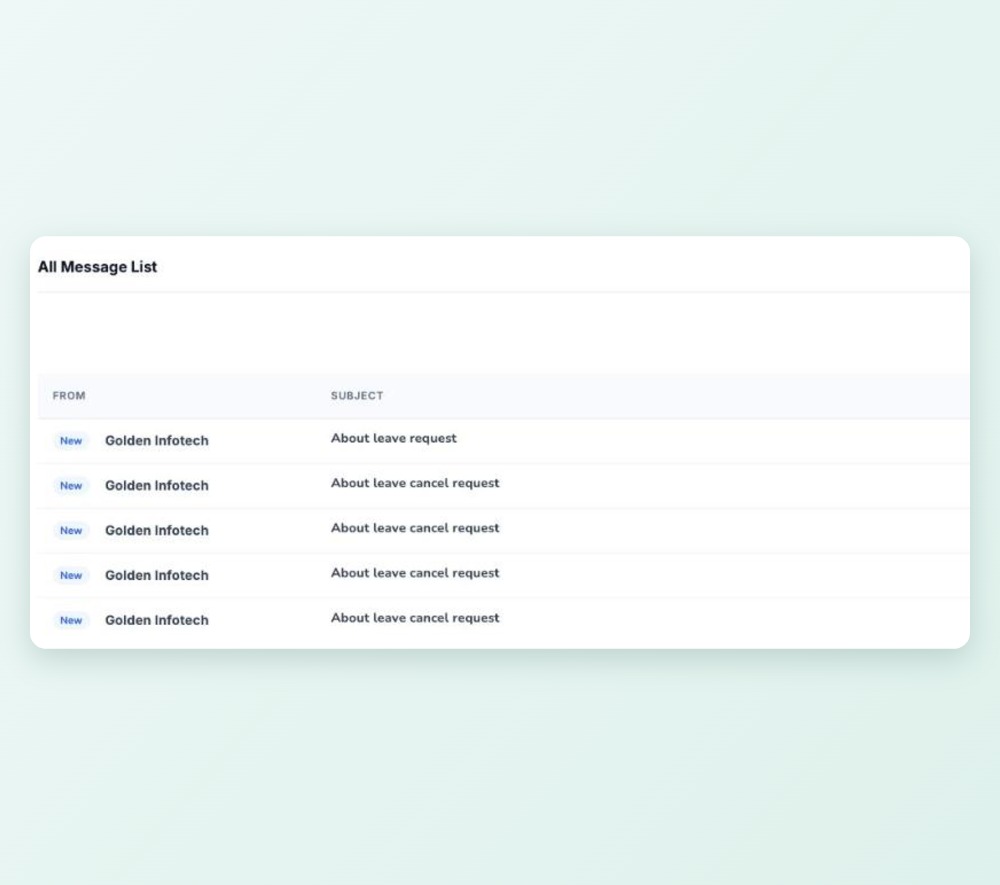
Staff message each other with an inbox and sent folder, on web and phone.

Internal messages

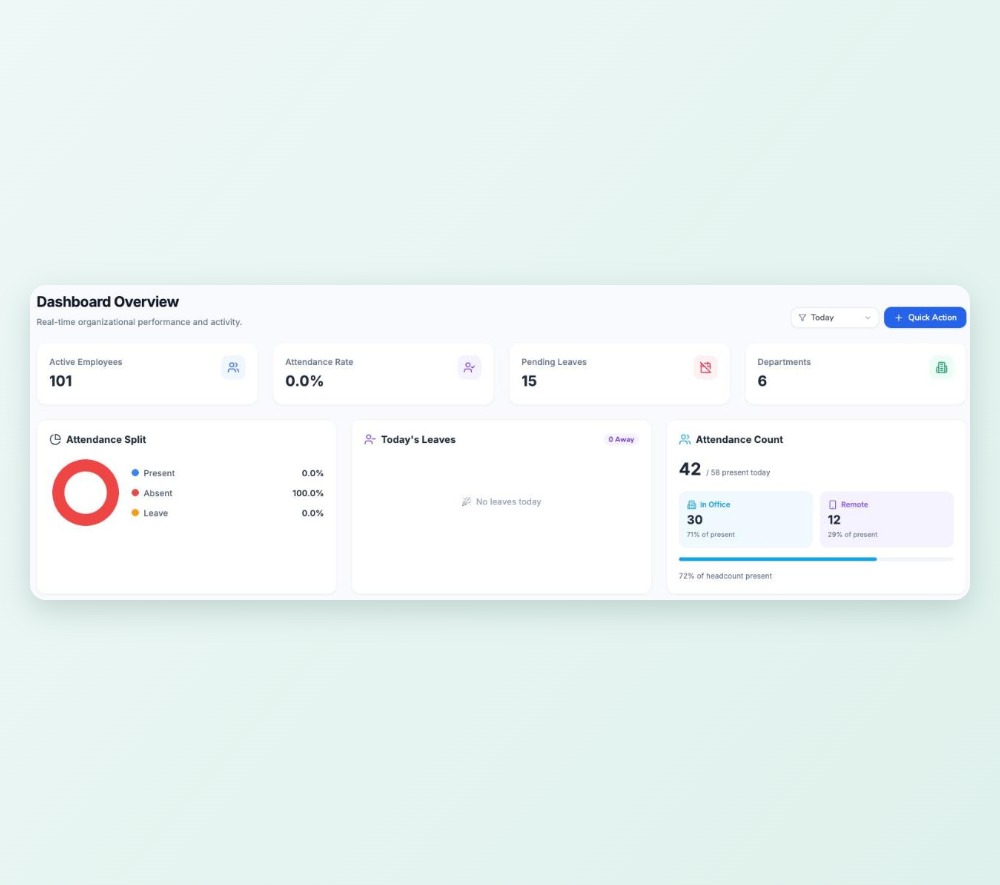
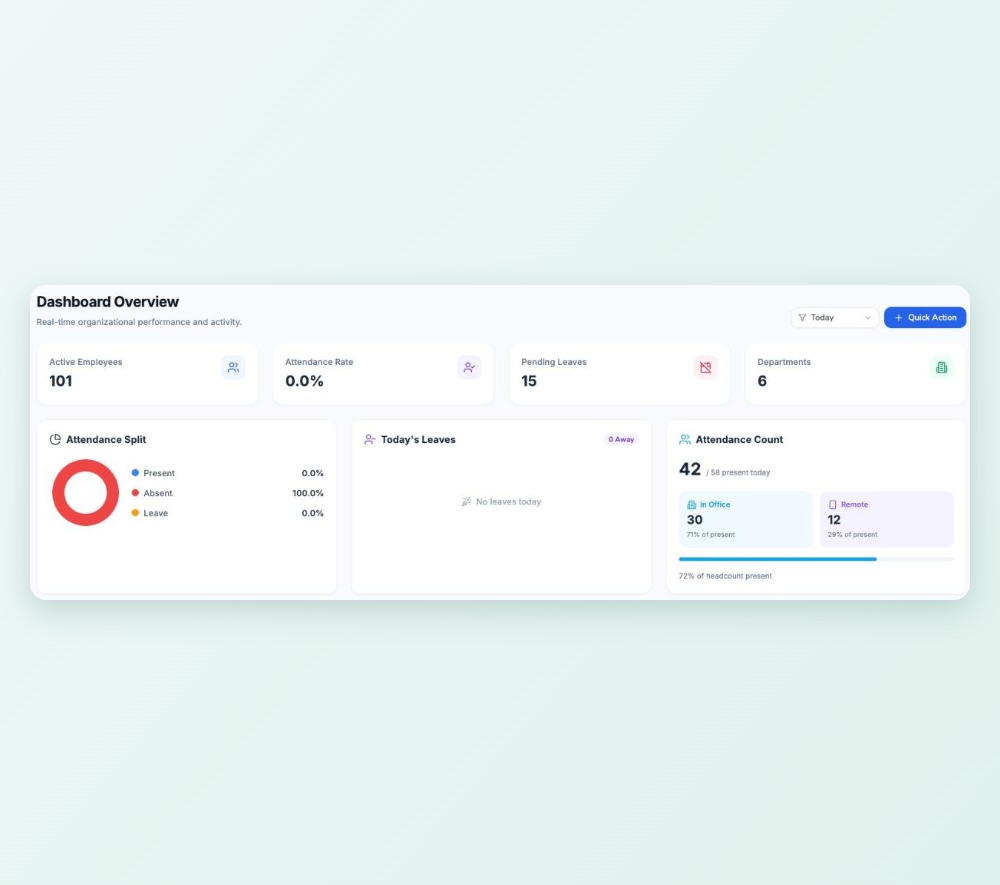
HR dashboard

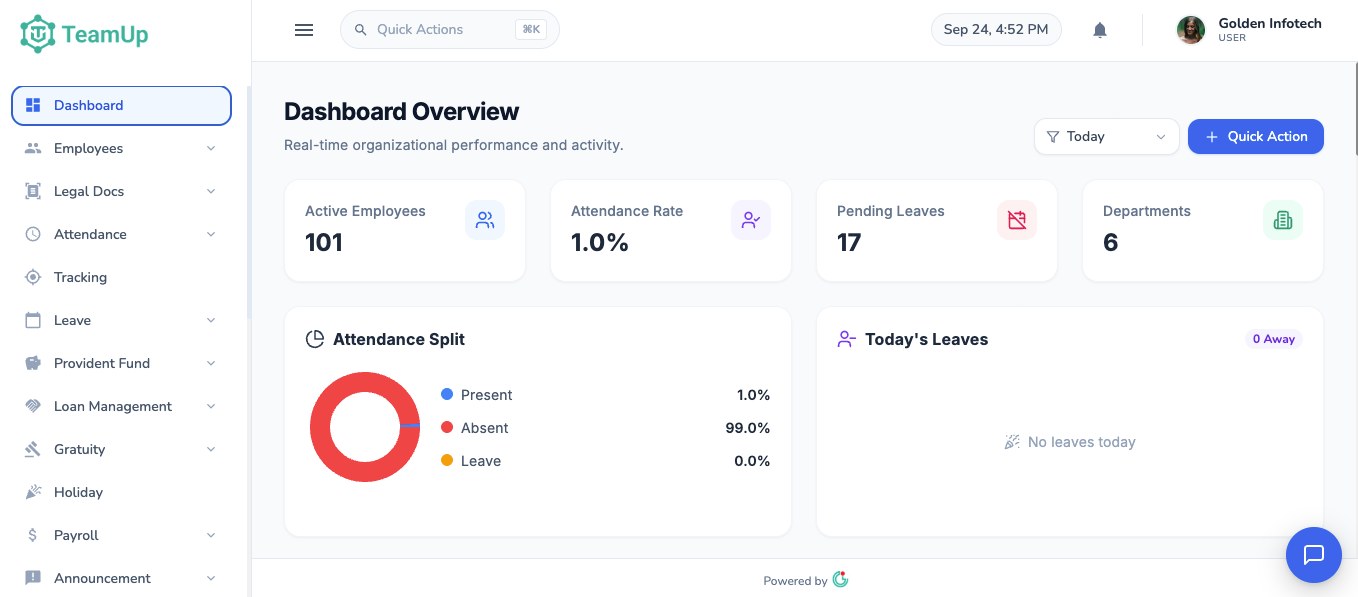
Active employees, attendance rate, pending leave, today's leaves and pending approvals at a glance.

HR dashboard

Reports for management

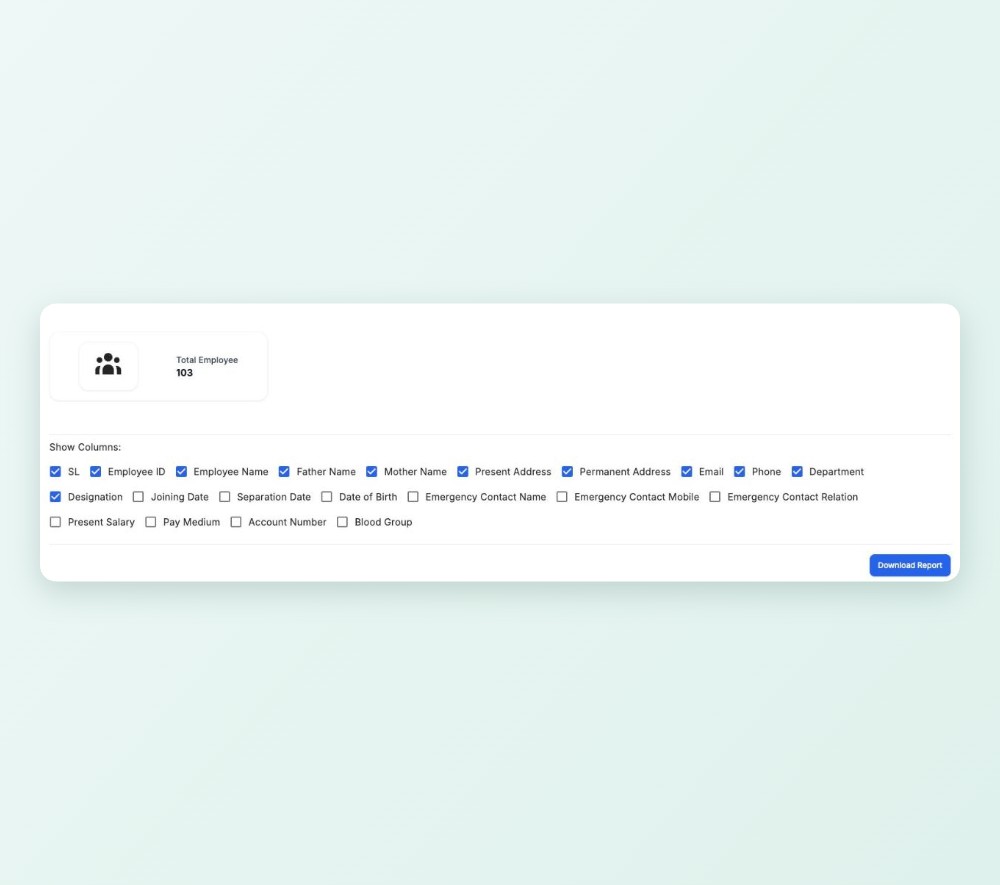
Employee, attendance, leave, payroll and settlement reports with filters.

Reports for management

Excel and PDF export

Export every report with the same filters, with your company logo on PDFs.

Excel and PDF export

GPS check-in and hours worked

Check in and out with a map confirmation and see today's worked hours.

GPS check-in and hours worked

Leave, loans and claims

Apply for leave, request loans and file settlement and expense requests.

Leave, loans and claims

Payslips and tax certificates

Open payslips and download tax certificates as PDFs on the phone.

Payslips and tax certificates

Explore every module

Each module has its own page with the details and common questions. Pick the one you need.

Payroll, tax & benefits

Payroll ManagementSalary sheets, deductions, bank advice and payslips.Learn more →

Income Tax ManagementSlabs, rebate, monthly deduction and tax certificates.Learn more →

PF, Loans & GratuityPF ledger with vesting, loans against PF and gratuity.Learn more →

Settlement ManagementGratuity, encashment and PF gathered for leavers.Learn more →

Expense ManagementField expense claims with receipts and approvals.Learn more →

Time & attendance

Attendance ManagementDaily reports, shifts, rosters and night shifts.Learn more →

Fingerprint MachineUse the attendance machine you already have.Learn more →

Leave ManagementRequests, approvals and balances for every leave type.Learn more →

GPS Attendance & TrackingMap-confirmed check-in and a tracking map.Learn more →

Mobile AppThe Android app for your employees.Learn more →

People & workplace

Employee ManagementProfiles, documents, HR letters and permissions.Learn more →

Employee Self-ServiceWhat staff can do without asking HR.Learn more →

Approval WorkflowsLeave, loan, settlement and expense approvals.Learn more →

Notice BoardAnnouncements, notifications and messages.Learn more →

Reports & DashboardHR dashboard and exportable reports.Learn more →

Why TeamUp

See your whole company at a glance

The dashboard shows active employees, the attendance rate, pending leave and who is away today, with quick actions for the jobs HR does every day.

Feature image
Built for Bangladeshi payroll Your own separate database Setup done with our team Excel import for staff & attendance Managers see only their team Excel & PDF export for reports

Active employees, attendance rate, pending leave, departments, today's leave and a late-arrival ranking in one view.


Add an employee, create leave, generate payroll or post an announcement from the dashboard in one click.


Decide exactly which screens each role and person can open. Line managers see their own team only.


Employee, attendance, leave, payroll and settlement reports, ready to export to Excel or PDF.

TeamUp in your employees' pocket

Employees check in with GPS and a map confirmation, apply for leave, see payslips and tax certificates, and request loans. Android now, iPhone coming soon.

Feature questions

Still have questions?

Can't find the answer you're looking for? Talk to one of our product experts today.

Contact Sales

Yes. Export the punch file from your machine and upload it. TeamUp matches each device ID to the employee and works out in-time, out-time, breaks and late arrivals.

Yes. Shifts can have different times for each day of the week, rosters let you change anyone's shift on a specific date, and a shift that crosses midnight counts as one working day.

Yes. We set up the tax slabs, rebate and minimum tax for each taxpayer category with you during onboarding, and you can update them yourself each budget year.

Yes. Employees see their payslips, tax certificates, leave balance and attendance on the web app and the Android app.

Yes. Roles and permissions decide which screens each person can open, and line managers only see their own team.